
Cosa creerai
Un MP3 a 320 kbps, esattamente di 3 minuti, con due canzoni fuse tramite un crossfade di 10 secondi, livelli bilanciati e dissolvenze pulite a entrambe le estremità — pronto da consegnare al tuo DJ o da riprodurre su qualsiasi cassa Bluetooth.
- Durata
- 2:50
- Canzoni
- 2
- Crossfade
- 10s
- Livello
- Principiante
1. Scegli le tue due canzoni
L'impatto emotivo di un primo ballo nasce dal contrasto tra le due canzoni. Scegli in quest'ordine: prima la canzone lenta che apre il ballo, poi quella energica che rivela la festa.
L'apertura
Una ballata lenta tra 60 e 80 BPM, perfetta per un ballo stretto. Scegli un brano il cui ritornello finale arrivi prima dell'1:30 — crea un momento forte proprio prima della transizione.
- 60–80 BPM, tempo 4/4 o ballata in 6/8.
- Un ritornello o un bridge di rilievo tra 1:00 e 1:30.
- Voce centrata nel mix, senza cassa continua (altrimenti il crossfade sarà udibile).
La rivelazione
Un brano energico tra 100 e 130 BPM con un'intro breve (massimo 4–8 battute) perché gli invitati non perdano il momento.
- 100–130 BPM, con drop o ritornello identificabile entro i primi 15 secondi.
- Intro breve (≤ 10 s) o un punto d'ingresso pulito sul primo tempo forte.
- Tonalità compatibile con la canzone A (stessa tonalità o intervallo di quinta/quarta).
2. La tempistica di riferimento (3:00)
Tre minuti sono il punto ideale per un primo ballo: abbastanza lunghi per raccontare una storia, abbastanza brevi per mantenere l'attenzione. Ecco la struttura proposta da questa guida — puoi modificare le durate nella sezione Varianti.
Vista stilizzata del mix finale. Le barre rappresentano l'inviluppo audio; la fascia tratteggiata è la finestra del crossfade.
3. Il percorso passo passo in MixClap
Sei passaggi, circa 10 minuti in totale. Tutto avviene nel browser — nessun file lascia il tuo dispositivo finché non paghi l'esportazione.
- 1Passo 1
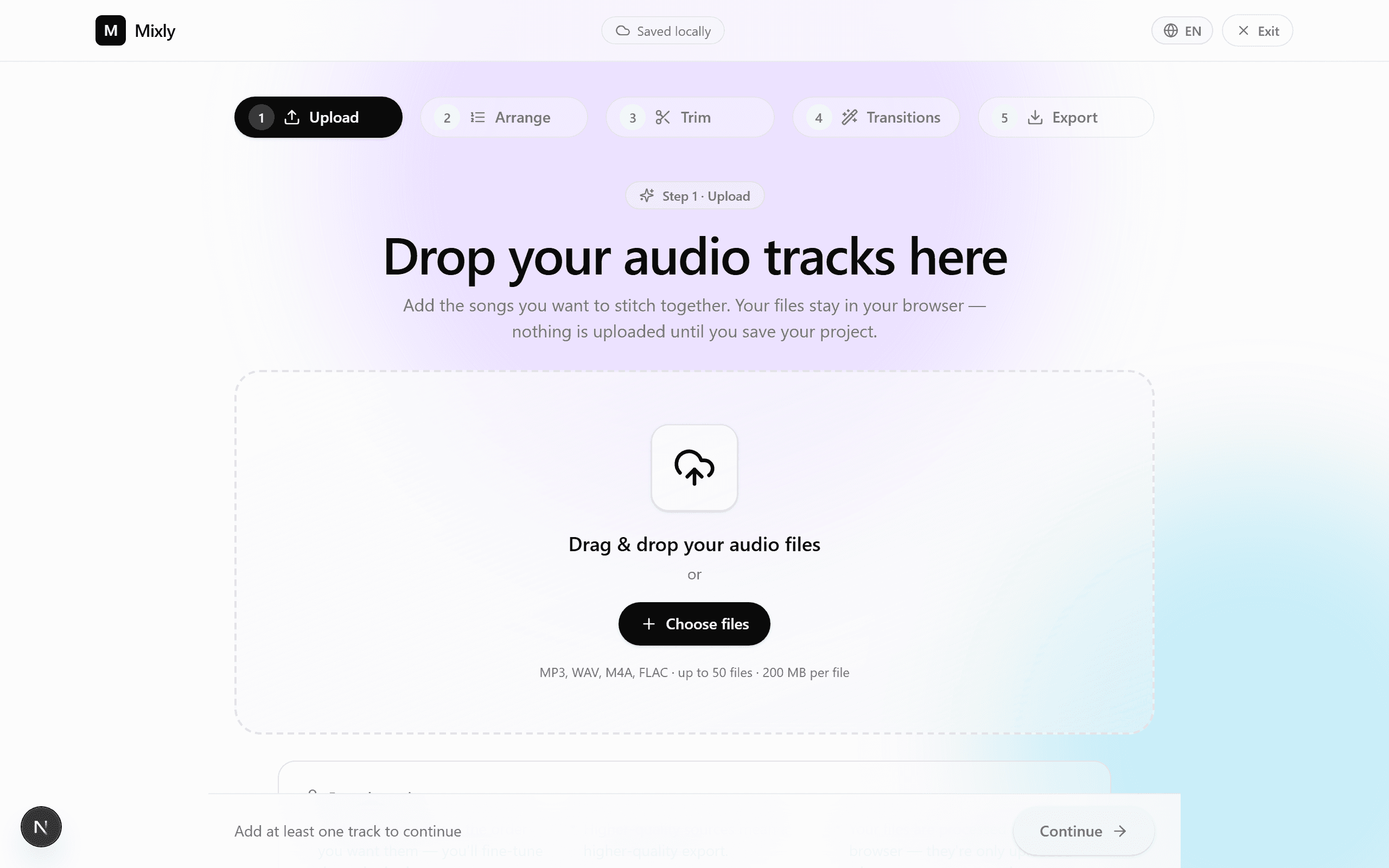
Carica i tuoi due file
Trascina entrambi i file in MixClap. Formati consigliati: WAV o FLAC (qualità migliore), altrimenti MP3 320 kbps. Sono accettati anche M4A e OGG.
- Dai un nome chiaro ai file (ad esempio `01_lenta.wav`, `02_energica.wav`).
- Trascina i file o clicca sull'area di caricamento — fino a 50 tracce per progetto.
- Nessun limite pratico di dimensione: i file vengono decodificati nel browser.
- 2Passo 2
Ordina le tue tracce
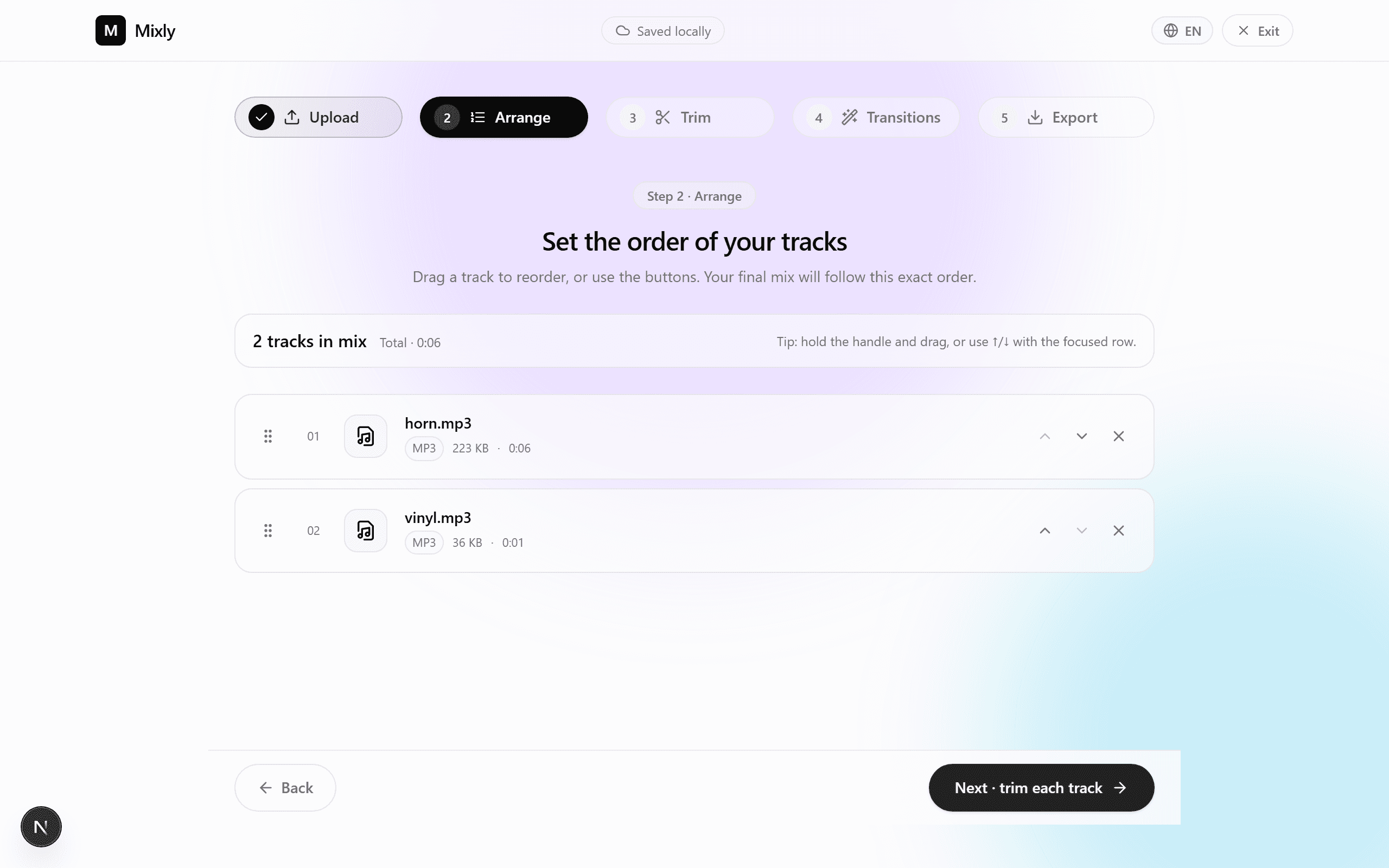
MixClap rileva automaticamente le due tracce. Assicurati che l'ordine sia corretto: prima la canzone A (lenta), poi la canzone B (energica).
- Trascina le tracce dalla maniglia per riordinarle.
- Premi play per ascoltare ogni traccia singolarmente.
- Rinomina una traccia dall’icona di modifica, se necessario — utile per il tuo DJ.
- 3Passo 31:30
Taglia la canzone A
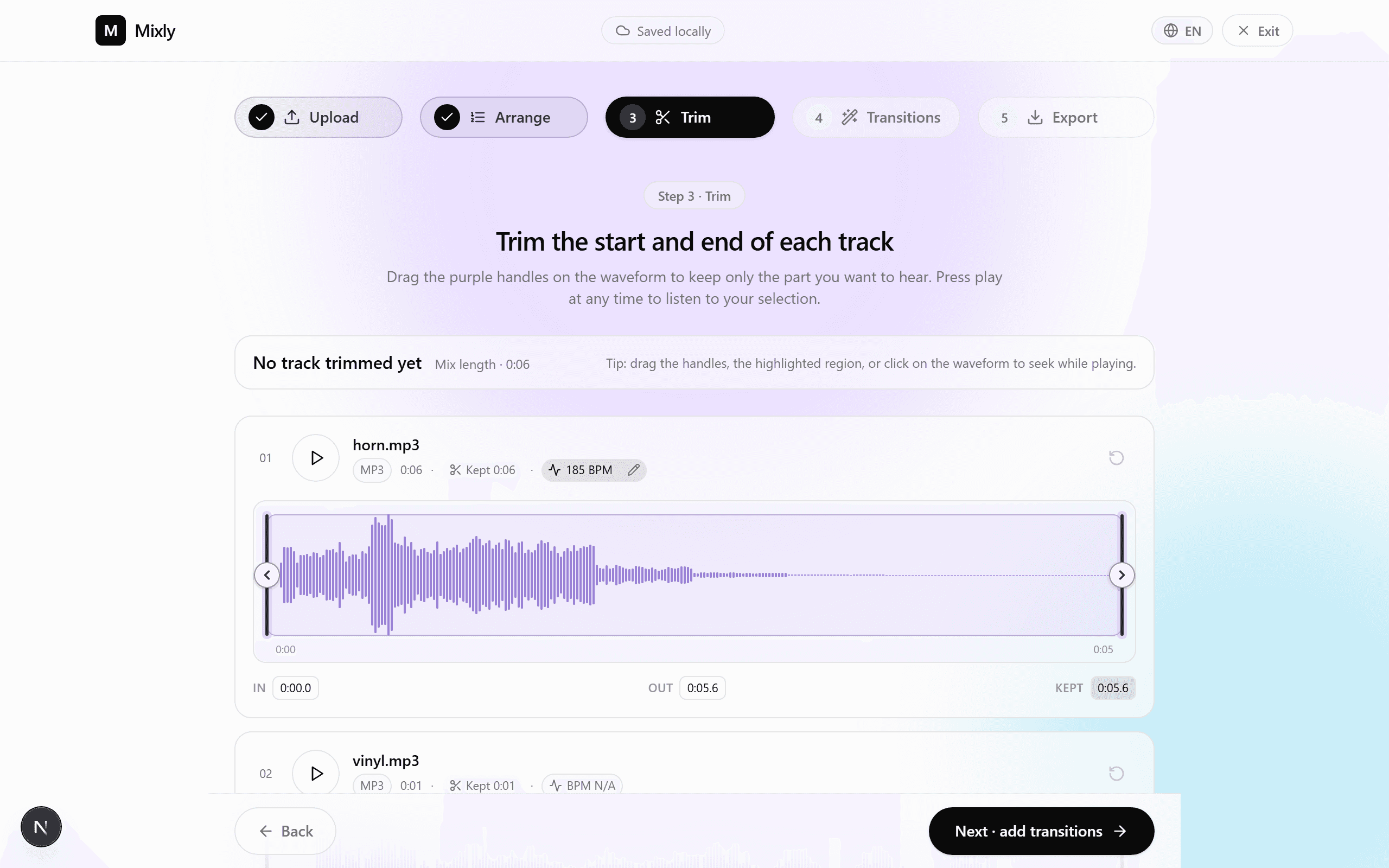
Imposta il segmento di 1:30 che conserverai. La ricetta più semplice: inizia 5–10 secondi prima di un ritornello e termina esattamente alla fine di quel ritornello — il momento più emozionante.
- Clicca sulla traccia A per aprire l'editor della forma d'onda.
- Trascina i marcatori di inizio/fine per definire una finestra di 1:30.
- Attiva la dissolvenza in entrata (≈ 1 s) per un inizio morbido.
- Suggerimento: blocca la fine esattamente su un tempo forte per facilitare la transizione.
- 4Passo 41:30
Taglia la canzone B
Per la parte energica, inizia da un drop netto o da un tempo forte, poi prosegui per 1:30 fino a un punto che possa risolversi in modo pulito.
- Individua il primo tempo forte marcato (spesso alla fine di una crescita di tensione).
- Definisci una finestra di 1:30 da quel punto.
- Attiva la dissolvenza in uscita (≈ 2 s) affinché il mix non finisca mai bruscamente.
- Riascolta: la fine dovrebbe cadere su una cadenza perfetta.
- 5Passo 50:10
Imposta il crossfade
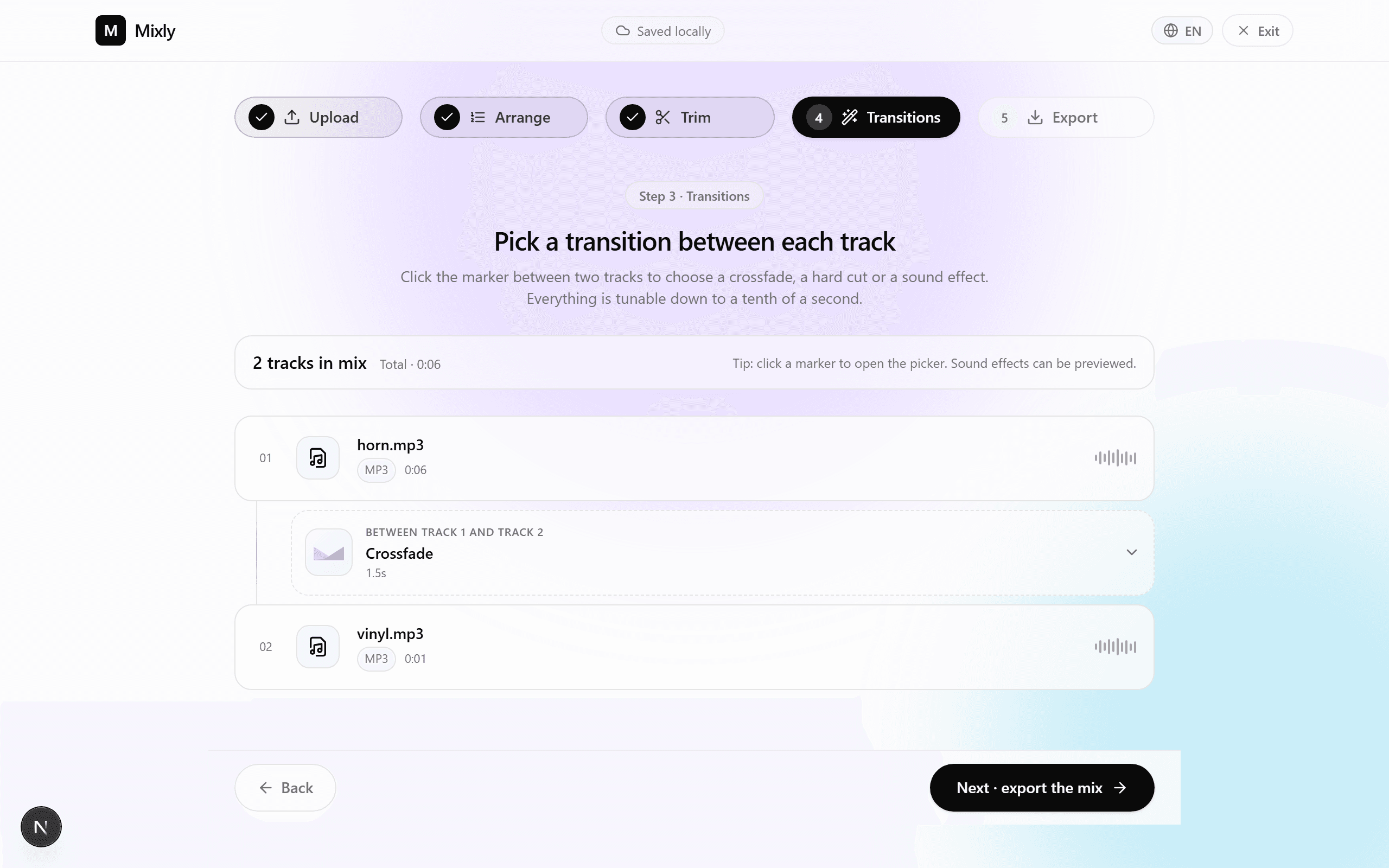
Questo è il cuore del mix. MixClap applica un crossfade bilanciato di cui scegli la durata. Per un passaggio da lento a energico, 10 secondi è il valore di riferimento.
- Seleziona l’intervallo tra la canzone A e la canzone B.
- Imposta la durata del crossfade a 10 s (cursore dedicato).
- Scegli la curva a «potenza costante» affinché il volume percepito resti costante.
- Riproduci in loop la finestra di transizione finché non sei soddisfatto.
- 6Passo 6
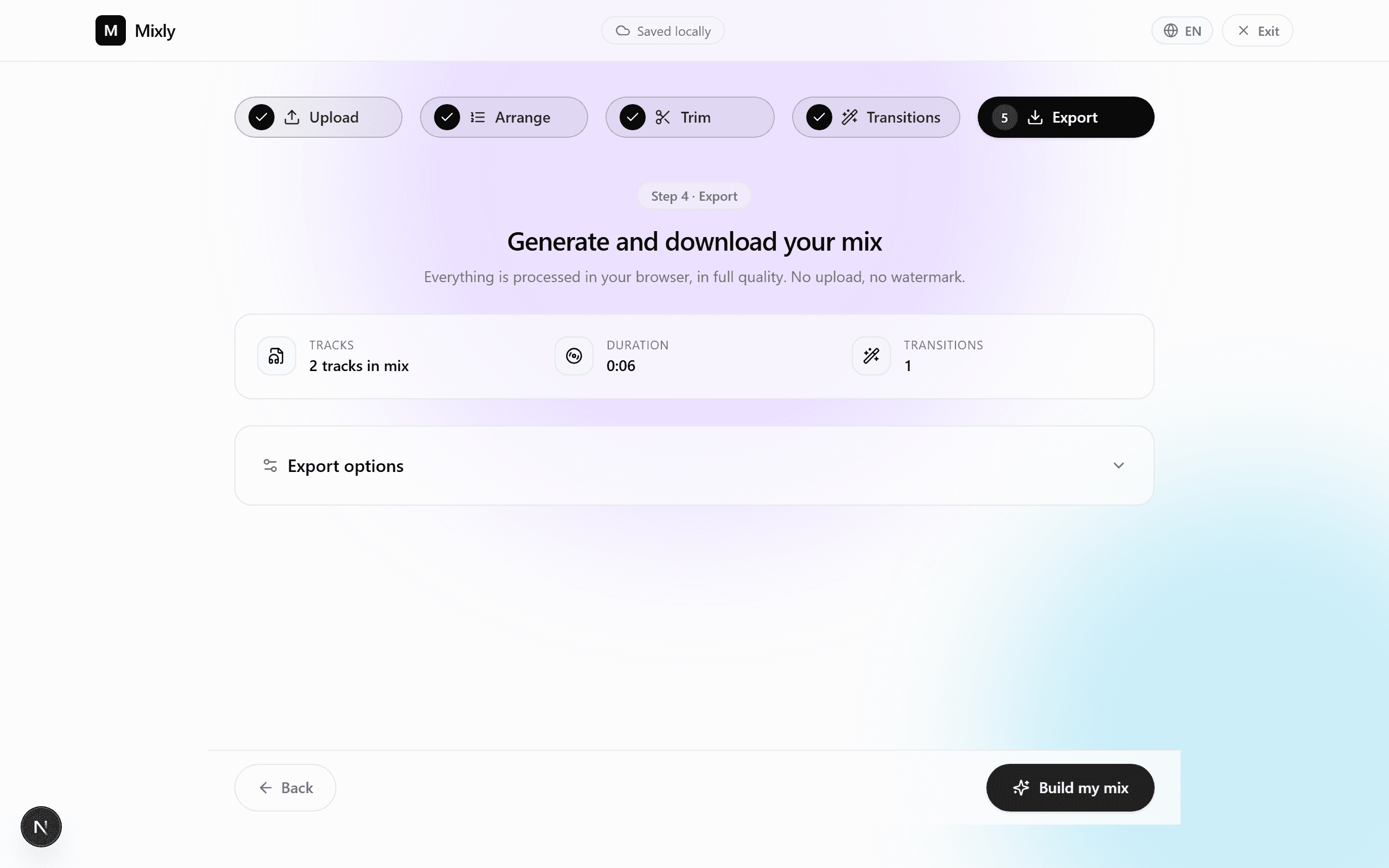
Esporta il mix finale
Scegli il tuo formato. MP3 320 kbps è sufficiente per il 99% delle situazioni (DJ, Bluetooth del locale). WAV o FLAC se il tuo fornitore li accetta.
- MP3 320 kbps — il formato universale, ~7 MB per 3 minuti.
- WAV 16 bit / 44,1 kHz — qualità CD, ≈ 30 MB.
- FLAC — senza perdita di qualità, ≈ 18 MB.
4. Errori comuni
Cinque errori che vediamo spesso, e come evitarli.
Crossfade troppo corto (< 4 s)
Una transizione troppo rapida spezza l’emozione. Sotto i 4 secondi, il passaggio da lento a energico sembra un taglio netto.
Crossfade troppo lungo (> 15 s)
Al contrario, oltre i 15 secondi le due melodie si confondono in un pastone indistinto. Resta tra 6 e 12 s.
Scegliere canzoni in tonalità incompatibili
Tonalità troppo distanti creano dissonanza durante il crossfade. Preferisci la stessa tonalità o un intervallo di quinta/quarta.
Tagliare a metà di una frase cantata
Taglia sempre su un tempo forte o alla fine di una battuta. Un taglio a metà parola si nota immediatamente.
Dimenticare la dissolvenza finale
Senza una dissolvenza in uscita, il mix si interrompe bruscamente a 3:00 e rompe l'incanto. Attiva sempre almeno 2 s di dissolvenza finale.
5. Varianti per durata
Tre durate collaudate a seconda dello scenario. Lo standard di 3:00 è il più usato; le altre due varianti si adattano a contesti specifici.
| Formato | Canzone A | Crossfade | Canzone B | Totale |
|---|---|---|---|---|
| Compatta (2:00) — entrata rapida | 1:00 | 8s | 1:00 | 1:52 |
| Standard (3:00) — la versione consigliata | 1:30 | 10s | 1:30 | 2:50 |
| Lunga (4:00) — primo ballo esteso | 2:00 | 12s | 2:00 | 3:48 |
6. Domande frequenti
Quanto tempo serve per creare il mix?
Considera 10-15 minuti la prima volta, seguendo questa guida. Le volte successive bastano 5 minuti, una volta preso il ritmo del flusso di lavoro.
Serve avere competenze audio?
No. La guida è pensata per i principianti: MixClap applica le impostazioni predefinite corrette (crossfade bilanciato, normalizzazione dei livelli, dissolvenze di sicurezza).
I miei file vengono caricati su un server?
No. La decodifica, la modifica e la codifica del file finale avvengono localmente nel tuo browser. Il pagamento è gestito da Stripe, ma i tuoi file audio non vengono inviati né ai server di Stripe né a quelli di MixClap.
Quale formato dovrei scegliere per un DJ professionista?
WAV 16 bit / 44,1 kHz se il DJ lo accetta (qualità CD). In caso contrario, l'MP3 320 kbps è indistinguibile all'orecchio umano e funziona ovunque.
Posso mixare più di due canzoni?
Sì — MixClap accetta fino a 50 tracce per progetto. Per un mash-up di tre o più canzoni, applica lo stesso principio: un crossfade tra ogni coppia consecutiva.
Quanto costa l'esportazione?
La modifica è gratuita fino all'esportazione. Il download finale costa 4,99 € una tantum, senza abbonamento né necessità di registrazione.
Pronto a creare il tuo primo ballo?
10 minuti, due canzoni, e il tuo mix da 3 minuti è pronto — da consegnare direttamente al tuo DJ.