
What a medley actually is
A medley is a continuous run of several songs: you keep only the memorable part of each track, then join those excerpts with no silence in between. Three distinctions are worth keeping in mind. Against a playlist, a medley produces one file with a fixed duration — something you can hand to a DJ, a sound desk or a competition jury without depending on Wi-Fi. Against a mashup, the songs follow each other instead of playing on top of each other, so there are no overlapping vocals to manage. Against a full DJ mix, a medley is short and scripted: it tells a progression in a few minutes rather than an hour.
What building it looks like
Three screens is all it takes: order the songs, set each join, export. No tracks, no plugins, no render queue.
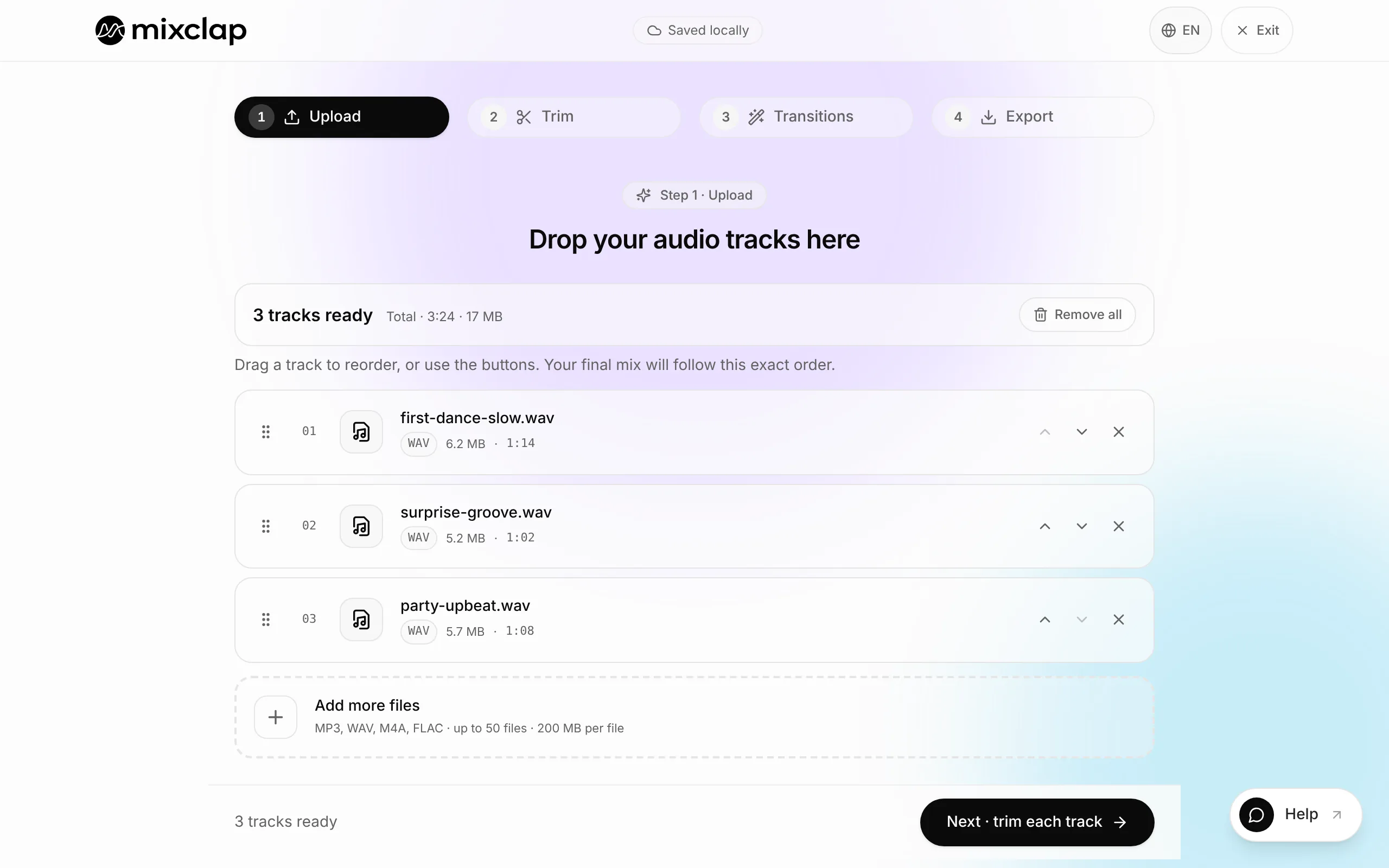
Order the songs — the total duration updates as you go. 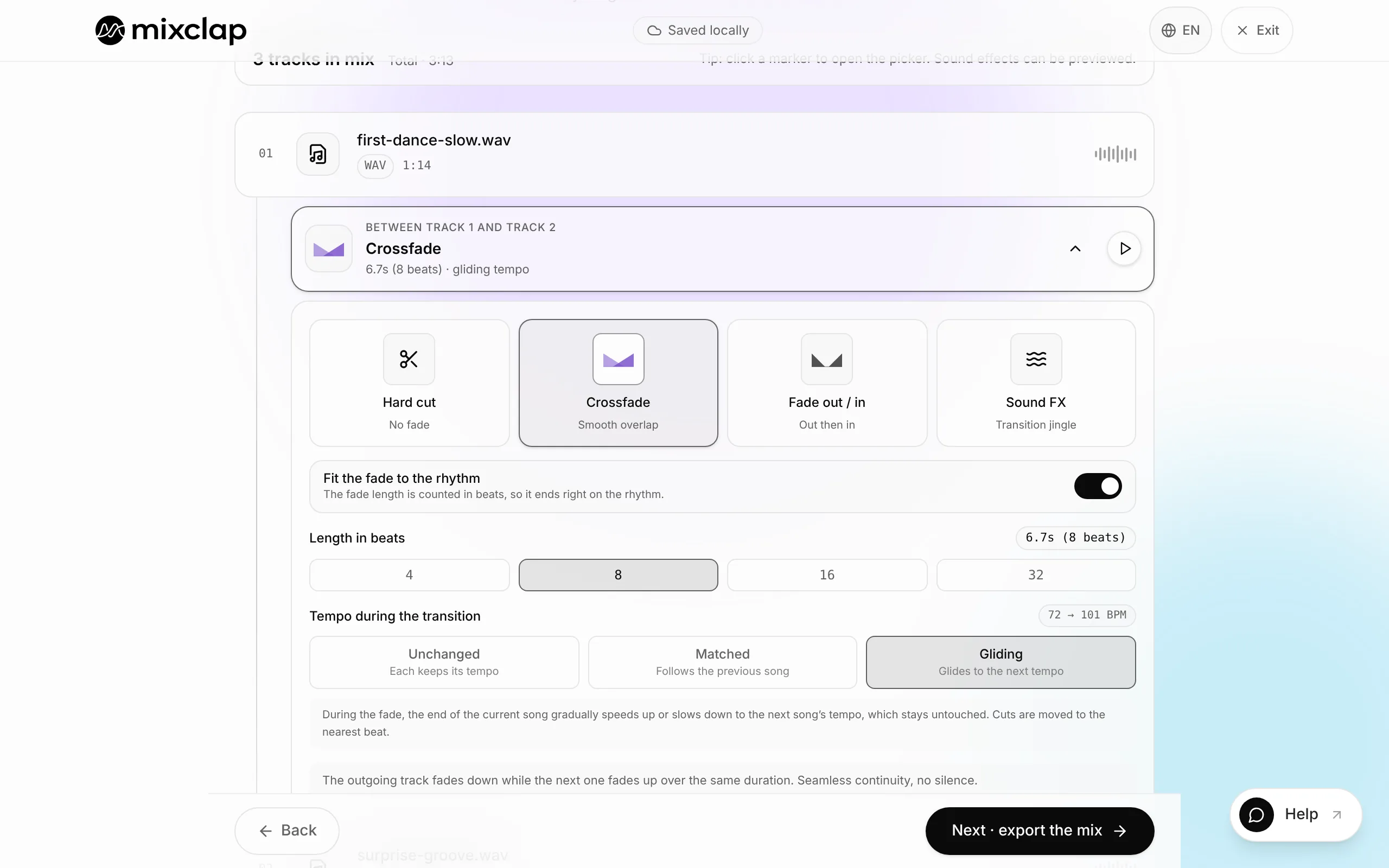
Set each join, loop it, adjust the fade until it sounds right. 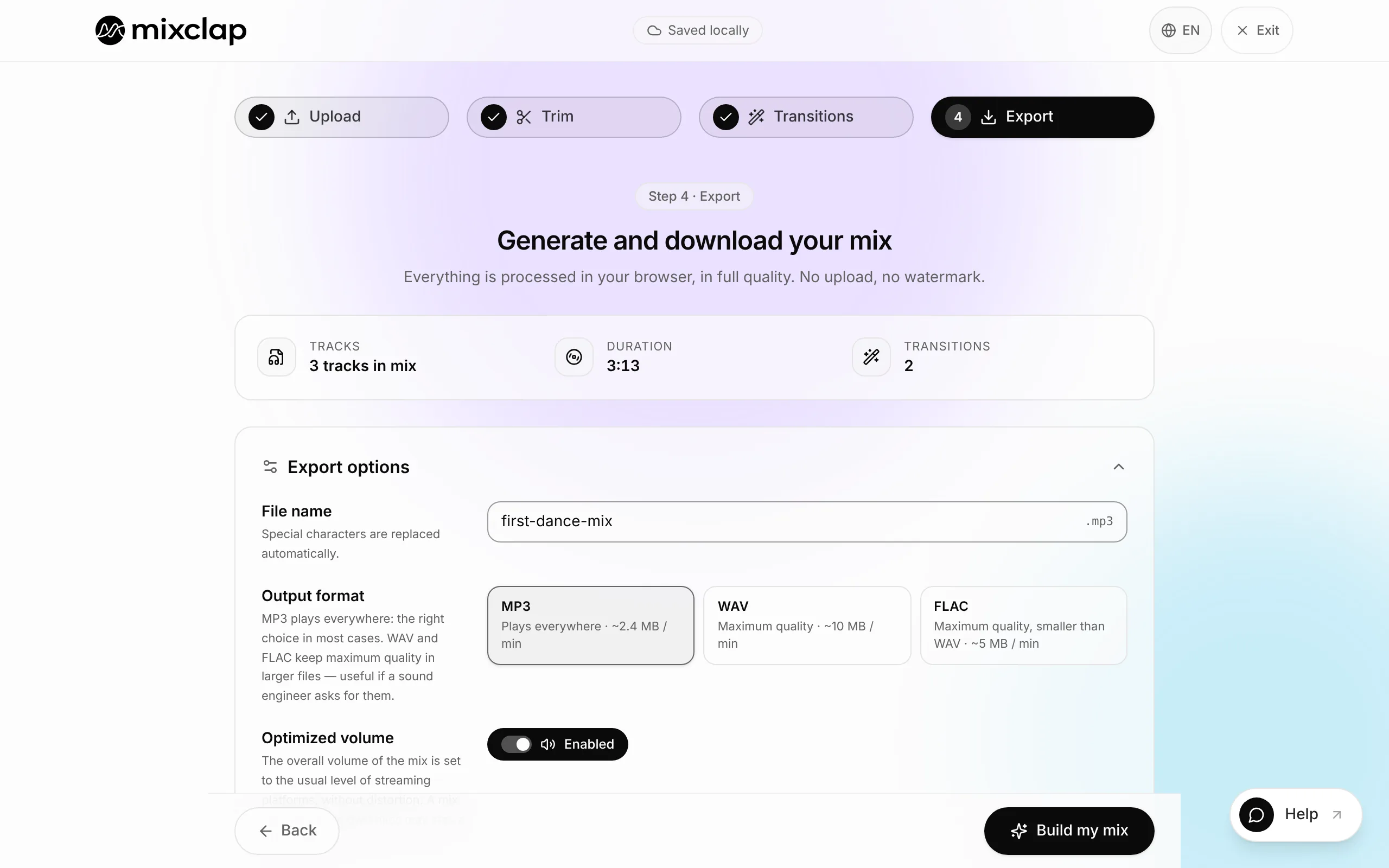
Export one 320 kbps MP3 or WAV file, titled and ready to hand over.
How to make a medley in 6 steps
The hard part of a medley is almost never technical — it is picking the excerpts and ordering them. The first four steps happen on paper, the last two in the editor.
- 1
Stick to 3–10 tracks
Divide your target duration by the number of songs before anything else. A 4-minute medley spread across twelve songs leaves twenty seconds per track: nobody has time to recognise anything, and the result feels choppy. List the songs you cannot drop, then cut the rest.
- 2
Find the part worth keeping in each song
The chorus, or the eight bars leading into it, works almost every time — that is the part the room sings along to. Write the timestamp down for every track before you import a single file; it saves you from hunting blindly through a waveform.
- 3
Order by energy curve, not by preference
A medley reads like a story: an opening that is recognisable within a second, a build, a peak, then a controlled landing if it has to finish on stage. Inside a block, rising tempo makes every transition feel natural.
- 4
Set the length of each excerpt
Under 15 seconds an excerpt reads as a playback glitch. Over 60 seconds the medley turns back into a playlist. The 20–45 second range covers most cases; save the long excerpts for the opening and the finale.
- 5
Group by tempo, then pick the transitions
MixClap detects the BPM of every track. Keep songs with a similar tempo together: inside a block, a beat-aligned crossfade is enough. Between two blocks, a hard cut on a downbeat or a transition effect marks the change. Two or three breaks are plenty for a whole medley.
- 6
Listen end to end, fix, export
Play the whole medley at least once, at the volume you will use on the day. Problems live at the joins and in the level differences between songs, never in the middle of an excerpt. Then export as 320 kbps MP3 or 16-bit WAV.
How many songs, and how long?
When a rulebook sets the length, it wins. The competition lengths below come from published rules, with their sources on each use-case page. The song and excerpt columns are our editing guidelines, to adapt to your tracks.
| Context | Length | Songs | Excerpt per song |
|---|---|---|---|
| Wedding first dance | 2 to 3:30 (common practice) | 2 or 3 | 45–90 s |
| Dance competition, group aged 12-18 (ASSEM 17, France) | 2:00 to 3:00 | 4–7 | 20–40 s |
| Dance recital, one piece | 2 to 4 min (set by the programme) | 3–6 | 25–45 s |
| Cheerleading, UCA high school (USA) | 1:30 of music at most | 4–6 | 15–20 s |
| Cheerleading, Cheer Canada All Star | 2:30 | 6–10 | 15–25 s |
| Rhythmic gymnastics, individual | 1:15 to 1:30 | 1–3 | 30–90 s |
| Figure skating, free skate | 4:00, plus or minus 10 s | 2–4 | 60–120 s |
| Fitness class | 45–60 min | 12–18 | 2–4 min |
| Retrospective / birthday | 5–8 min (common practice) | 8–12 | 25–40 s |
- Always check the maximum allowed duration before choosing songs, not after: re-cutting a finished medley costs far more time than building it to the right length.
- Build the medley 5 to 10 seconds under the limit: a slight delay at playback will not push you out of the window.
Building a medley's tempo curve
With two songs, the question is whether the tempos connect. With a 6 to 10 song medley, the real question is the order: every join between distant tempos costs a hard cut or an effect, and past two or three breaks the medley sounds disjointed.
The method: sort your songs by BPM, form blocks of close tempos (under 3% apart between neighbours), then place the breaks where the story needs them, at the energy peak or a change of section. Example for a group at a dance competition, in a 2 to 3 minute window:
| Song | Role | Tempo | Excerpt | Join into the next one |
|---|---|---|---|---|
| 1 | Recognisable opening | 96 BPM | 30 s | Beat-aligned crossfade (2% gap) |
| 2 | Build | 98 BPM | 20 s | Hard cut plus riser (break 1) |
| 3 | Fast block | 122 BPM | 25 s | Beat-aligned crossfade (2.5%) |
| 4 | Fast block | 125 BPM | 20 s | Beat-aligned crossfade (2.4%) |
| 5 | Energy peak | 128 BPM | 25 s | Hard cut on a downbeat (break 2) |
| 6 | Breather | 84 BPM | 20 s | Impact and quick restart (break 3) |
| 7 | Finale | 128 BPM | 30 s | Last chord on the final pose |
- Total: 30 + 20 + 25 + 20 + 25 + 20 + 30 = 170 s, i.e. 2:50, with 10 seconds of margin under the limit.
- Only three breaks, each on a visible change in the choreography: the audience reads them as choices.
Which transition between two excerpts?
A good transition is either unnoticeable, or noticeable as an effect — never as a mistake. Three families cover almost everything a medley needs.
- Crossfade: the two excerpts overlap for 2 to 8 seconds. The default choice between songs with a similar tempo and energy.
- Hard cut on a downbeat: the first excerpt stops dead and the second starts on beat one of its bar. Ideal to mark a change of tempo or mood.
- Transition effect (whoosh, riser, impact, vinyl scratch): it masks an impossible join and makes the break feel intentional. Use it two or three times per medley at most, otherwise it becomes a tic.
Six mistakes specific to medleys
Single-join flaws (a gap, an overlong fade over vocals, a cut mid-word) are covered on the page about blending two songs. In a medley, the costliest mistakes are in the overall construction.
- Too many songs for the length: twelve songs in 4 minutes leaves 20 seconds each, and the audience never gets time to recognise a track.
- Every excerpt the same length: the medley turns mechanical. Give more room to the opening and the finale.
- A tempo change at every join: group songs into blocks of close tempo and limit yourself to two or three deliberate breaks.
- A medley built to the exact maximum: keep 5 to 10 seconds of margin under the rulebook limit.
- The volume jump between a recent track and an eighties one: normalisation sets the overall level of the file, not that gap. Pick remastered versions or listen to each join.
- Entering a medley of commercial songs in a competition without checking the rights: USA Cheer prohibits medleys and mash-ups without written permission from the rights holders. Check with the event producer.
Preparing the file for the venue, the DJ or the jury
A medley almost always ends up in someone else’s hands. The file has to be usable without explanation: a clear name, an announced duration, a universal format.
MixClap exports 320 kbps MP3 (works everywhere, easy to send) or 16-bit WAV (untouched quality, the safer pick for a sound desk or a competition). Fill in the title and artist metadata — that is what shows up on the deck or in the playback software.
Medley FAQ
How many songs should a medley contain?
Between 3 and 10 in the vast majority of cases. The right number comes from the duration: divide your target length by 30 seconds for a rough count. A 4-minute medley comfortably holds 6 to 8 songs; past 10, each excerpt is too short to be recognised.
How long should a medley be?
It depends on the use, and sometimes on the rulebook: 2 to 3:30 for a first dance, 2 to 3 minutes for a group at a dance competition, 1:30 of music for a UCA high school cheer routine, 45 to 60 minutes for a fitness class. When a maximum is imposed, build the medley 5 to 10 seconds under it.
Do all the songs need the same BPM?
No, but they need grouping. Sort songs into blocks of close tempo, join them with beat-aligned crossfades, and keep hard cuts or effects for the two or three changes between blocks. The tempo gap thresholds for a single join are detailed on the Blend two songs page.
In what order should the songs of a medley go?
By energy curve: an opening recognisable within a second, a build, a peak, then a clean ending. Inside each part, order songs by rising tempo. Personal preference is rarely the right order.
Can I make a medley without installing software?
Yes. MixClap runs entirely in the browser: import, trim, transitions, playback and export. No file is uploaded to a server, the audio processing happens on your device, and no account is needed to build and listen to the medley.
Can I enter a medley of well-known songs in a competition?
It depends on the event producer. In the US, USA Cheer prohibits medleys and mash-ups without written permission from the rights holders, and UCA can disqualify unlicensed music. Elsewhere, the competition rules decide: check them before building the mix. MixClap assembles your files but gives you no rights to the songs.
Your medley, done in one session
Import your songs, trim, join, listen to the whole thing. You only pay if you export.
Make my medley for free