
O que vai criar
Um MP3 de 320 kbps, com exatamente 3 minutos, com duas músicas fundidas através de um crossfade de 10 segundos, níveis equilibrados e fades limpos em ambas as pontas — pronto para entregar ao seu DJ ou tocar em qualquer coluna Bluetooth.
- Duração
- 2:50
- Músicas
- 2
- Crossfade
- 10s
- Nível
- Iniciante
1. Escolha as suas duas músicas
O impacto emocional de uma primeira dança vem do contraste entre as duas músicas. Escolha-as por esta ordem: primeiro a música lenta que abre a dança, depois a animada que revela a festa.
A abertura
Uma balada lenta entre 60 e 80 BPM, perfeita para uma dança colada. Prefira uma faixa cujo refrão final chegue antes de 1:30 — cria um momento forte mesmo antes da transição.
- 60–80 BPM, compasso 4/4 ou balada em 6/8.
- Um refrão ou ponte de destaque entre 1:00 e 1:30.
- Voz centrada na mistura, sem bombo contínuo (caso contrário o crossfade vai notar-se).
A revelação
Uma faixa energética entre 100 e 130 BPM com uma introdução curta (4–8 compassos no máximo) para que os convidados não percam o momento.
- 100–130 BPM, com o drop ou refrão identificável nos primeiros 15 segundos.
- Introdução curta (≤ 10 s) ou um ponto de entrada limpo no primeiro tempo forte.
- Tom compatível com a música A (mesmo tom ou intervalo de quinta/quarta).
2. O tempo de referência (3:00)
Três minutos é o ponto ideal para uma primeira dança: suficiente para contar uma história, curto o bastante para manter a atenção. Esta é a estrutura que este guia propõe — pode ajustar as durações na secção de variações.
Vista estilizada da mistura final. As barras representam a envolvente do áudio; a faixa tracejada é a janela do crossfade.
3. O percurso passo a passo no MixClap
Seis passos, cerca de 10 minutos no total. Tudo acontece no navegador — nenhum ficheiro sai do seu dispositivo até pagar a exportação.
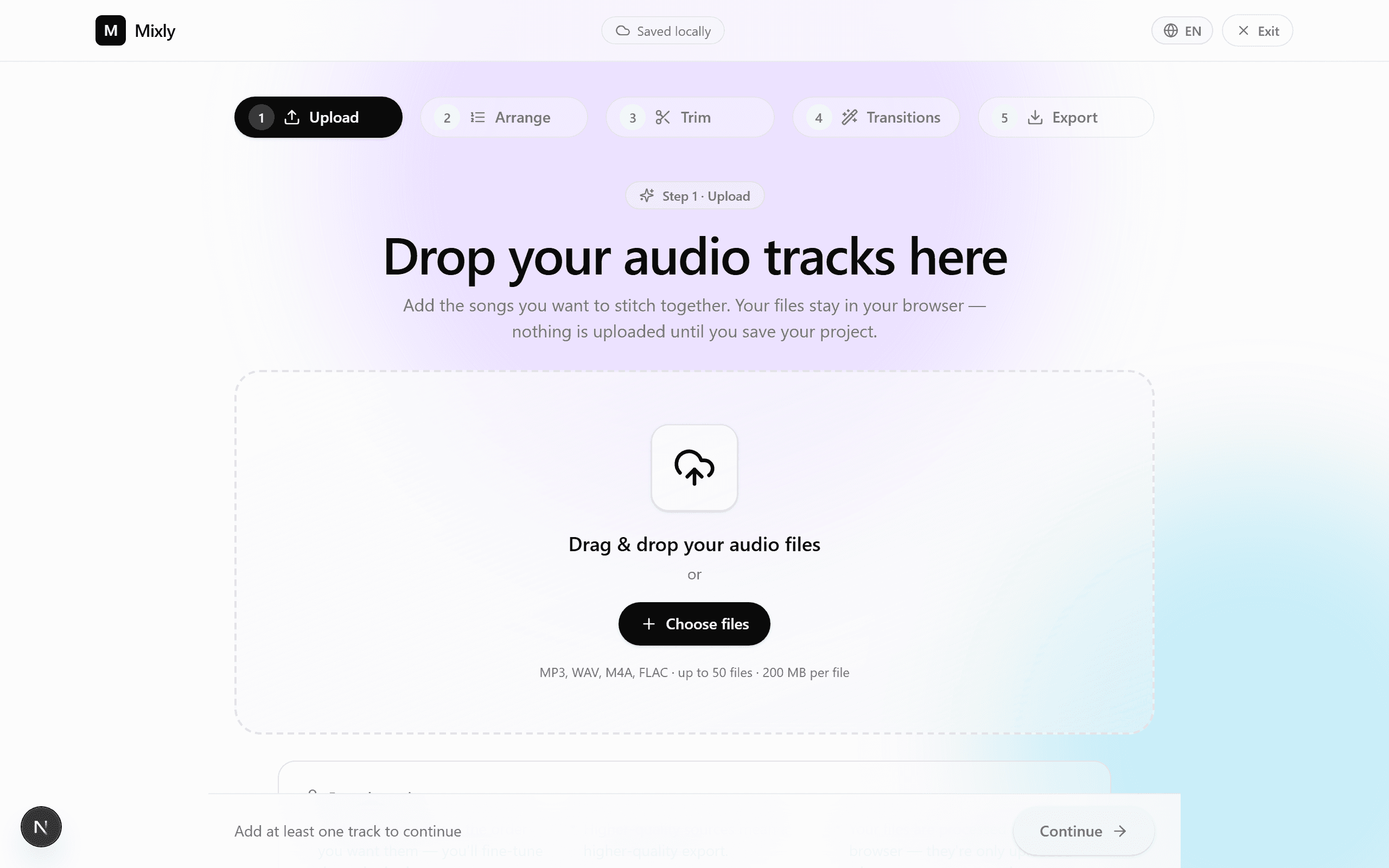
- 1Passo 1
Carregue os seus dois ficheiros
Arraste e largue os dois ficheiros no MixClap. Formatos recomendados: WAV ou FLAC (melhor qualidade), ou então MP3 320 kbps. M4A e OGG também são aceites.
- Dê nomes claros aos ficheiros (por exemplo, `01_lenta.wav`, `02_animada.wav`).
- Arraste e largue ou clique na zona de carregamento — até 50 faixas por projeto.
- Sem limite prático de tamanho: os ficheiros são descodificados no navegador.
- 2Passo 2
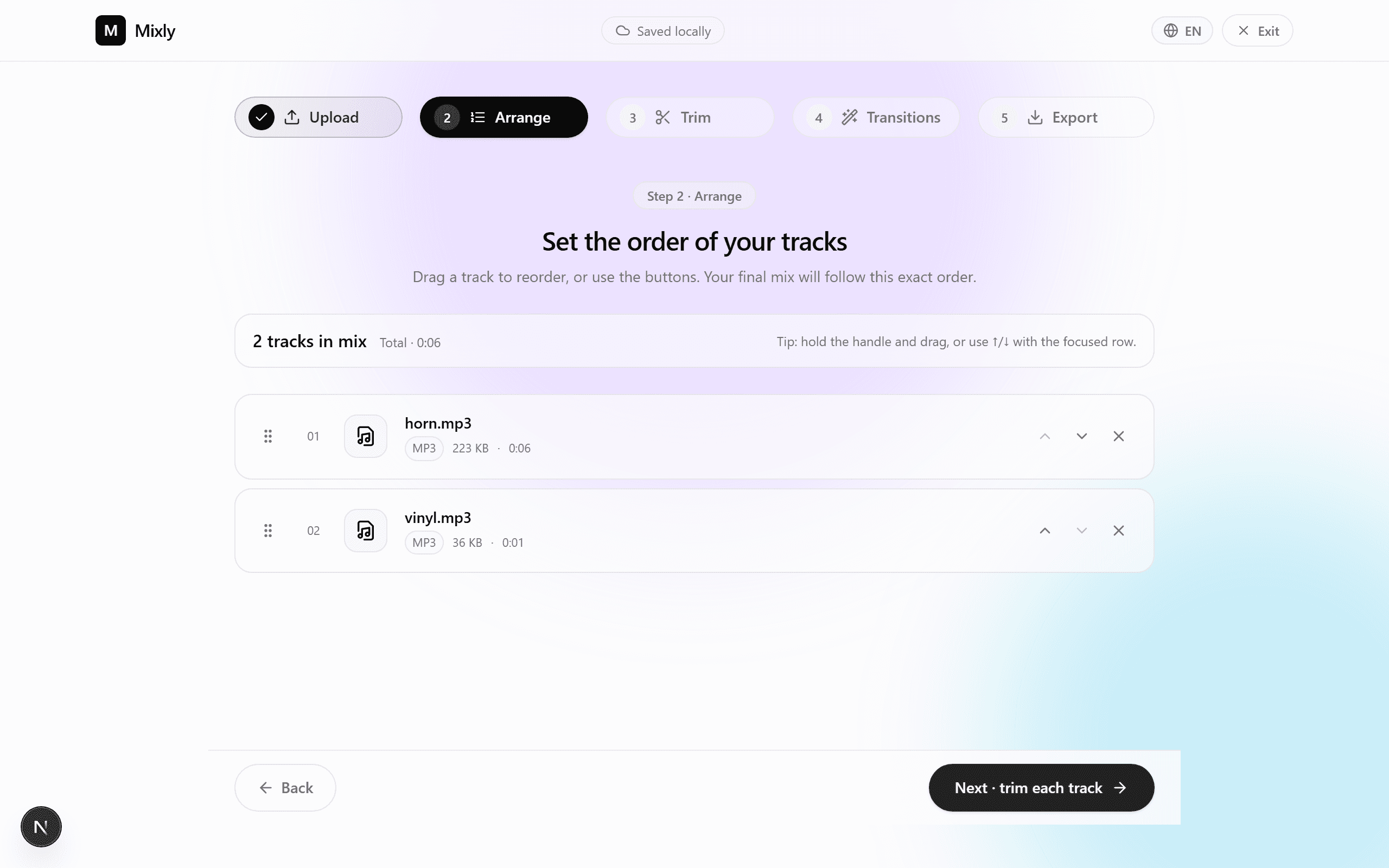
Ordene as suas faixas
O MixClap deteta automaticamente as duas faixas. Certifique-se de que a ordem está correta: primeiro a música A (lenta), depois a música B (animada).
- Arraste as faixas pela pega para as reordenar.
- Prima reproduzir para ouvir cada faixa individualmente.
- Renomeie uma faixa a partir do ícone de edição se necessário — útil para o seu DJ.
- 3Passo 31:30
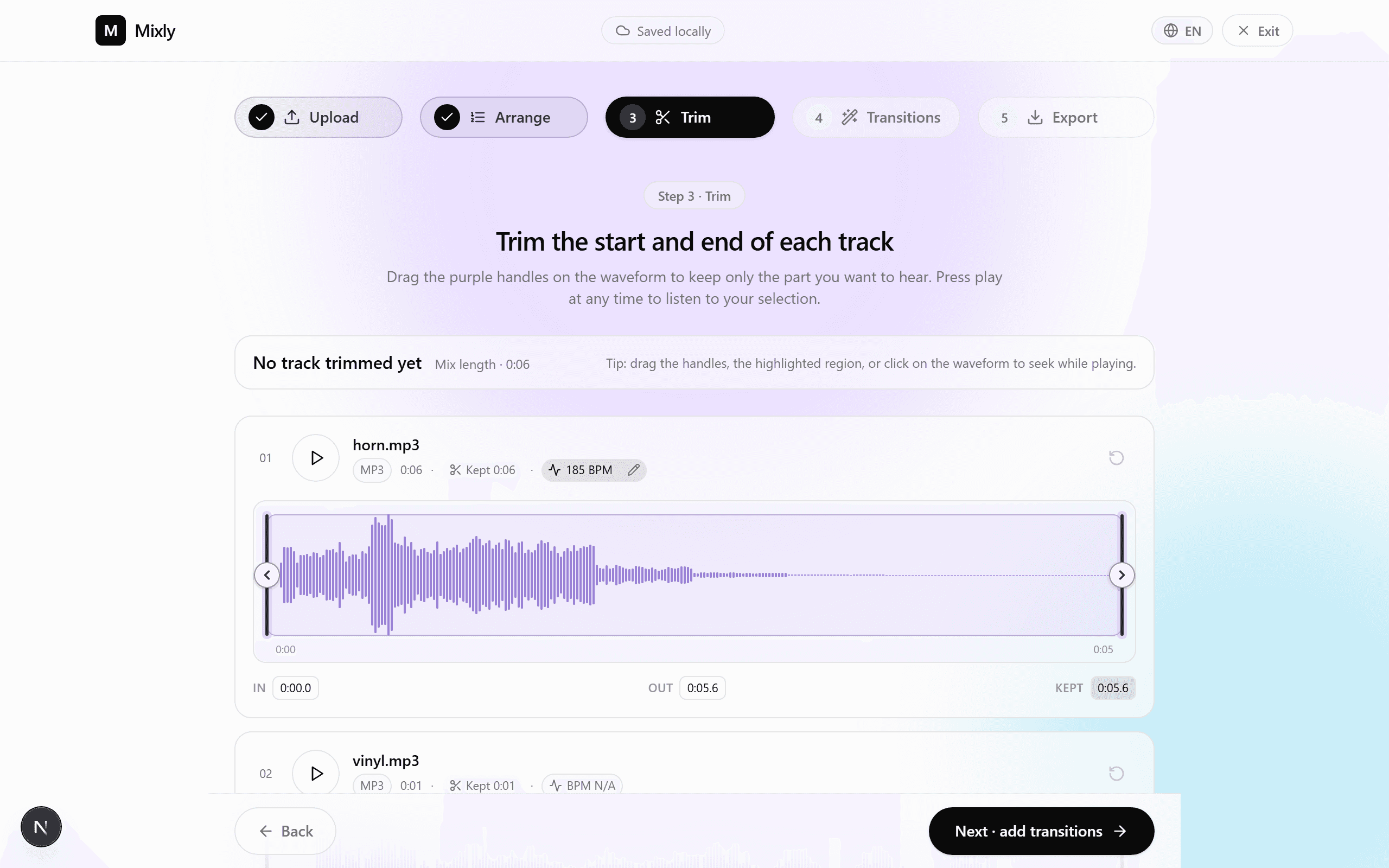
Corte a música A
Defina o segmento de 1:30 que vai manter. A receita mais simples: comece 5–10 segundos antes de um refrão e termine exatamente no final desse refrão — o momento mais emotivo.
- Clique na faixa A para abrir o editor de forma de onda.
- Arraste os marcadores de início/fim para definir uma janela de 1:30.
- Ative o fade-in (≈ 1 s) para um início suave.
- Dica: fixe o fim exatamente num tempo forte para suavizar a transição.
- 4Passo 41:30
Corte a música B
Para a parte animada, comece num drop claro ou num tempo forte, e continue durante 1:30 até um ponto que possa resolver-se de forma limpa.
- Localize o primeiro tempo forte marcante (muitas vezes no fim de uma subida de tensão).
- Defina uma janela de 1:30 a partir desse ponto.
- Ative o fade-out (≈ 2 s) para que a mistura nunca termine de forma abrupta.
- Ouça o resultado: o final deve cair numa cadência perfeita.
- 5Passo 50:10
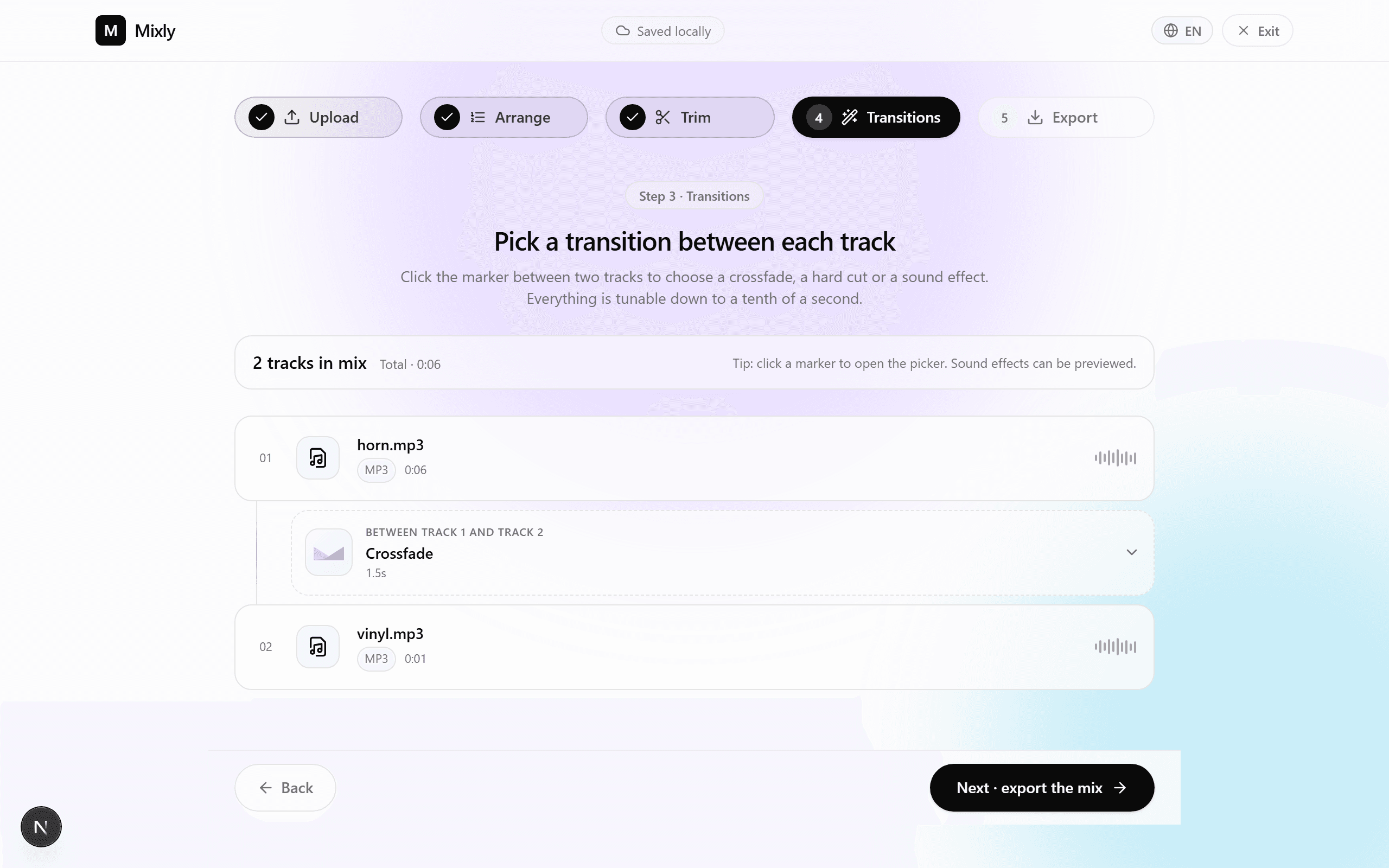
Configure o crossfade
Este é o coração da mistura. O MixClap aplica um crossfade equilibrado cuja duração escolhe. Para uma transição de lenta para animada, 10 segundos é o valor de referência.
- Selecione o intervalo entre a música A e a música B.
- Defina a duração do crossfade para 10 s (cursor dedicado).
- Escolha a curva de «potência constante» para que o volume percebido se mantenha constante.
- Reproduza em loop a janela da transição até ficar satisfeito.
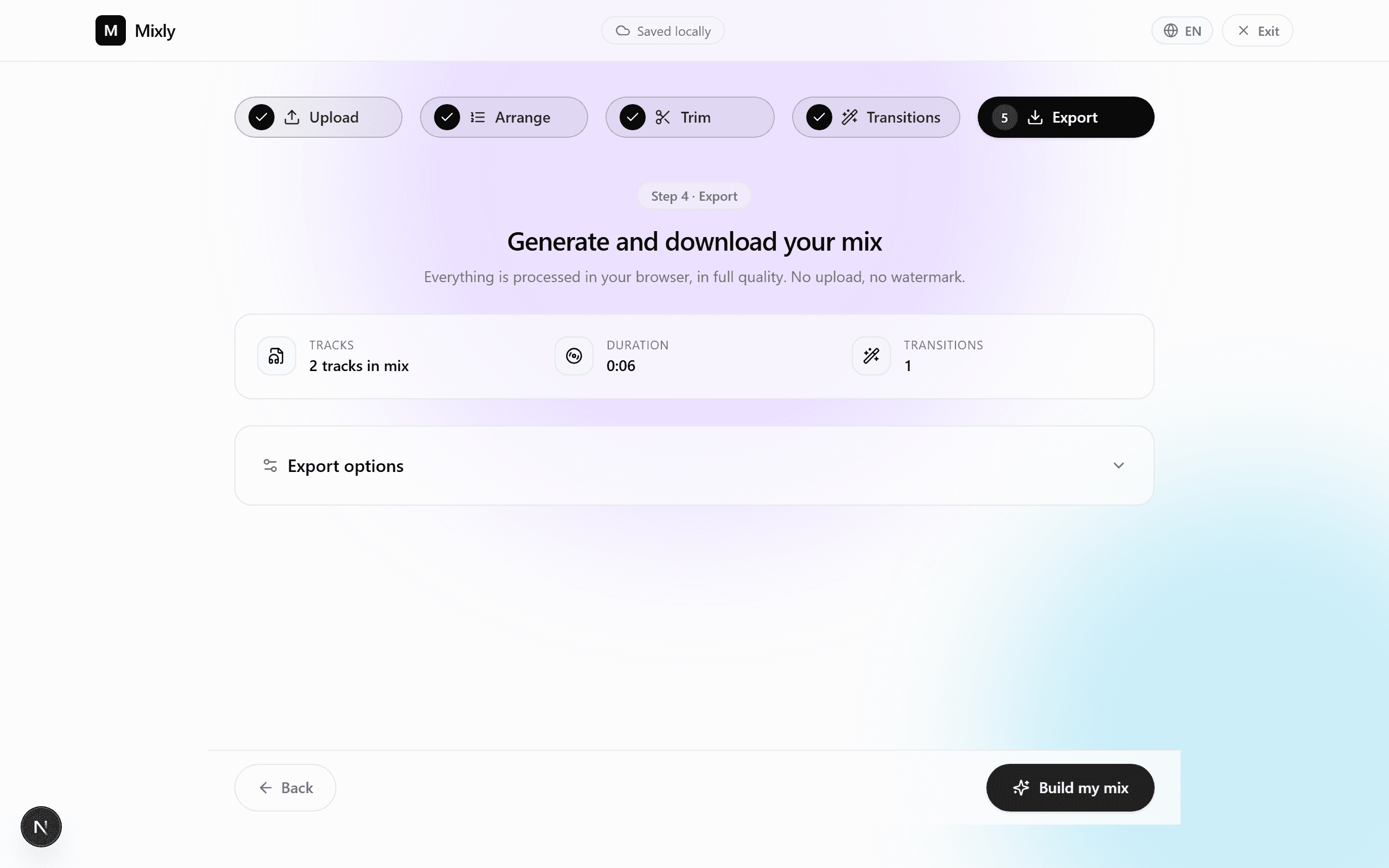
- 6Passo 6
Exporte a mistura final
Escolha o seu formato. MP3 320 kbps é suficiente para 99% das situações (DJ, coluna Bluetooth do local). WAV ou FLAC se o seu fornecedor os aceitar.
- MP3 320 kbps — o formato universal, ~7 MB para 3 minutos.
- WAV 16 bits / 44,1 kHz — qualidade de CD, ≈ 30 MB.
- FLAC — sem perdas, ≈ 18 MB.
4. Erros comuns
Cinco erros que vemos com frequência, e como evitá-los.
Crossfade demasiado curto (< 4 s)
Uma transição demasiado rápida quebra a emoção. Abaixo de 4 segundos, a passagem de lenta para animada parece um corte brusco.
Crossfade demasiado longo (> 15 s)
Por outro lado, para além de 15 segundos as duas melodias misturam-se numa papa confusa. Mantenha-se entre 6 e 12 s.
Escolher músicas em tons incompatíveis
Tons muito distantes criam dissonância durante o crossfade. Prefira o mesmo tom ou um intervalo de quinta/quarta.
Cortar a meio de uma frase cantada
Corte sempre num tempo forte ou no fim de um compasso. Cortar a meio de uma palavra nota-se instantaneamente.
Esquecer o fade-out final
Sem um fade-out, a mistura corta abruptamente aos 3:00 e quebra o encanto. Ative sempre pelo menos 2 s de fade-out.
5. Variações por duração
Três durações testadas consoante o cenário. O padrão de 3:00 é o mais usado; as outras duas adaptam-se a contextos específicos.
| Formato | Música A | Crossfade | Música B | Total |
|---|---|---|---|---|
| Compacta (2:00) — entrada rápida | 1:00 | 8s | 1:00 | 1:52 |
| Padrão (3:00) — a versão recomendada | 1:30 | 10s | 1:30 | 2:50 |
| Longa (4:00) — primeira dança prolongada | 2:00 | 12s | 2:00 | 3:48 |
6. Perguntas frequentes
Quanto tempo demora a montar a mistura?
Conte entre 10 e 15 minutos da primeira vez, seguindo este guia. Nas vezes seguintes bastam 5 minutos, assim que dominar o processo.
Preciso de conhecimentos de áudio?
Não. O guia é pensado para iniciantes: o MixClap aplica as predefinições corretas (crossfade equilibrado, normalização de níveis, fades de segurança).
Os meus ficheiros são enviados para um servidor?
Não. A descodificação, edição e codificação do ficheiro final acontecem localmente no seu navegador. O pagamento é processado pela Stripe, mas os seus ficheiros de áudio não são enviados para os servidores da Stripe nem da MixClap.
Que formato devo escolher para um DJ profissional?
WAV 16 bits / 44,1 kHz se o DJ aceitar (qualidade de CD). Caso contrário, o MP3 320 kbps é indistinguível ao ouvido humano e funciona em qualquer lugar.
Posso misturar mais de duas músicas?
Sim — o MixClap aceita até 50 faixas por projeto. Para um mash-up de três ou mais músicas, aplique o mesmo princípio: um crossfade entre cada par consecutivo.
Quanto custa a exportação?
A edição é gratuita até à exportação. O download final custa 4,99 €, pagamento único, sem subscrição nem necessidade de registo.
Pronto para criar a sua primeira dança?
10 minutos, duas músicas, e a sua mistura de 3 minutos está pronta — para entregar diretamente ao seu DJ.