
Why a gap appears between two songs
Nine times out of ten the silence is not added by the player — it is already in the file. Most songs end with a reverb tail followed by one to three seconds of digital silence, and start with a short silence before the first note. Played back to back, two files therefore produce a two-to-four-second hole. The fix is not to fade the volume down at the end: you have to cut the audio before that silence, then overlap the two excerpts, either with a crossfade or with a hard cut placed exactly on a beat.
The three screens you need
Trim, set the join, export. Nothing to install and nothing to work out by hand.
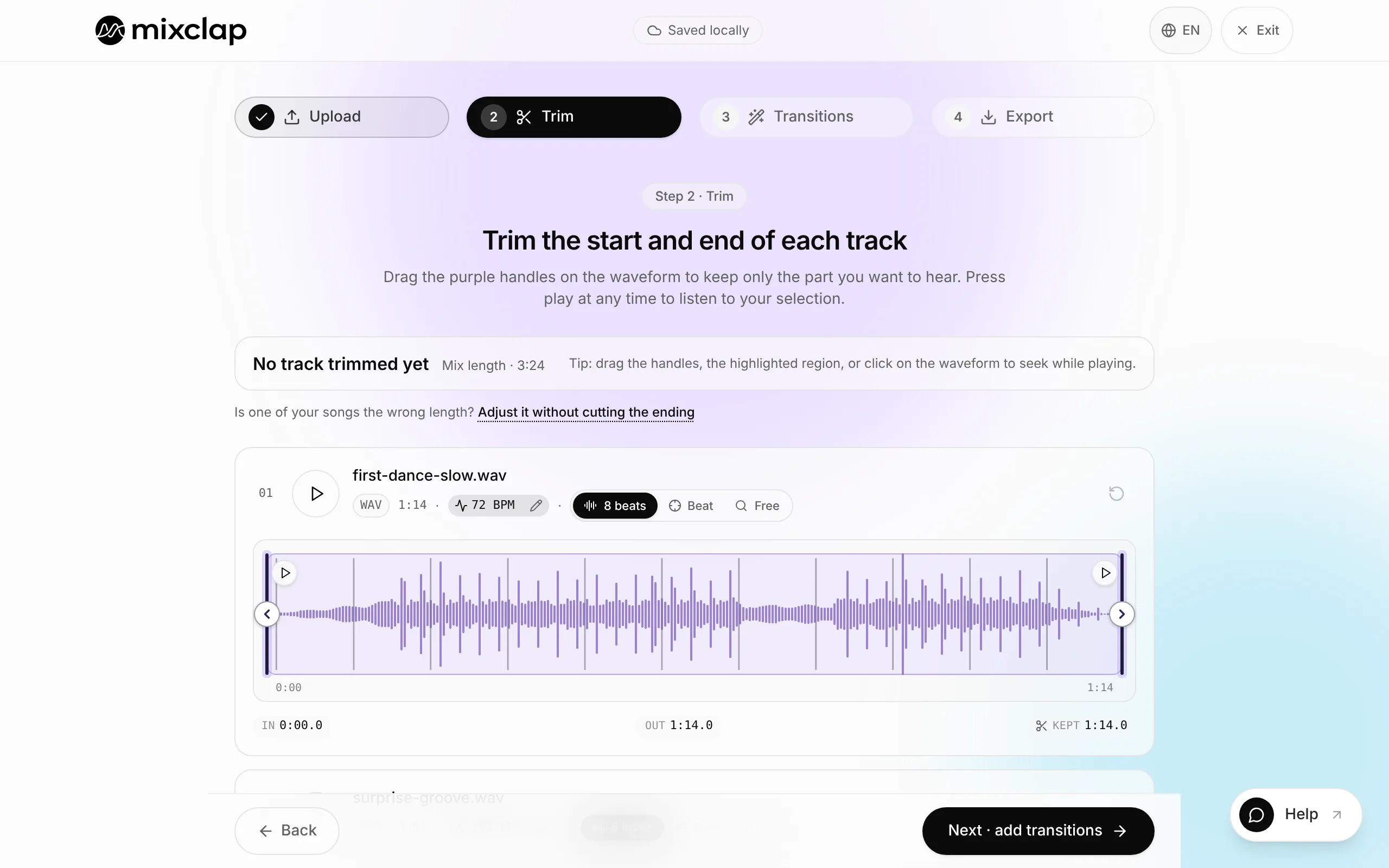
Pick the exit of the first song and the entry of the second on the waveform. 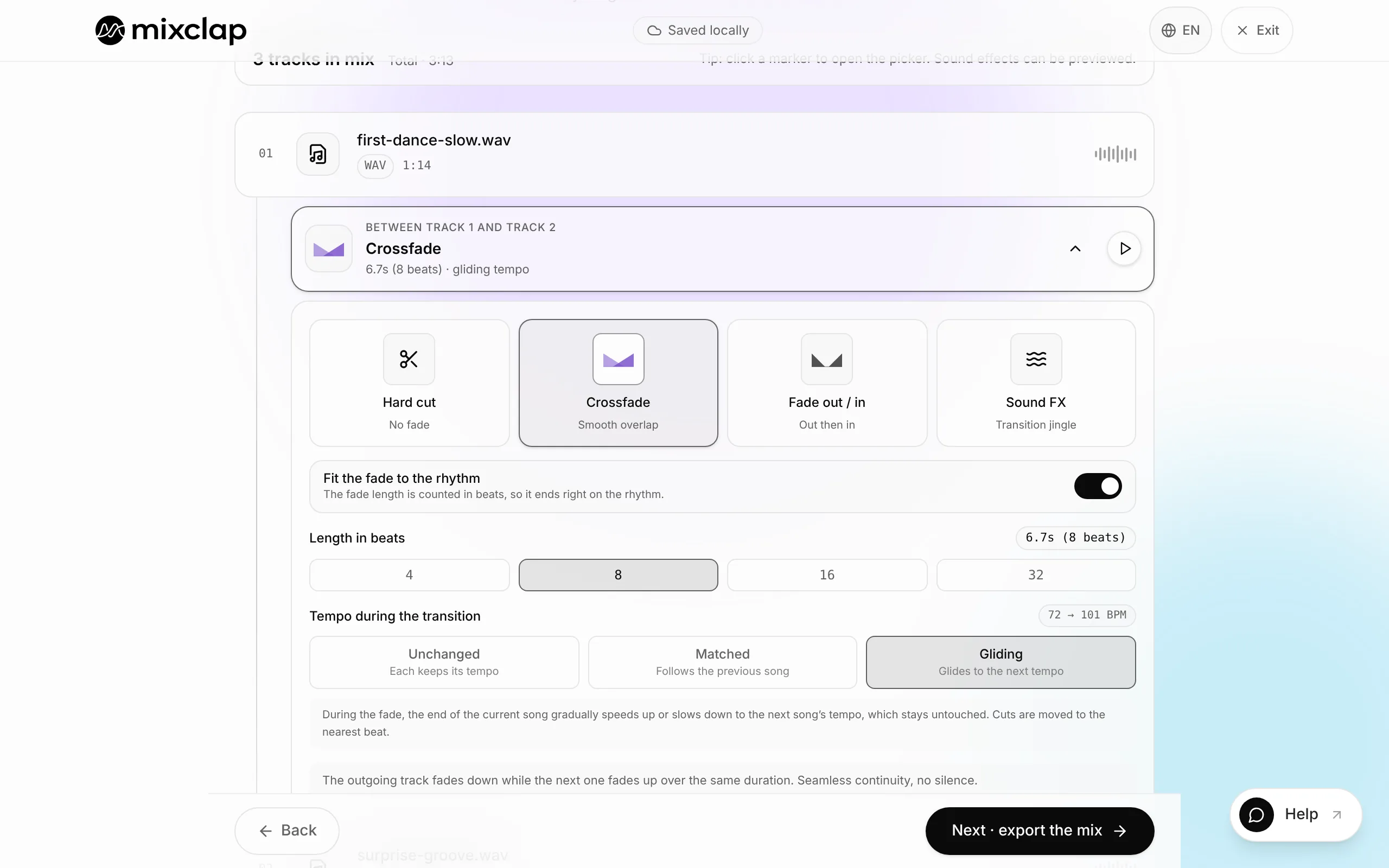
Set the fade length and listen to the join on its own. 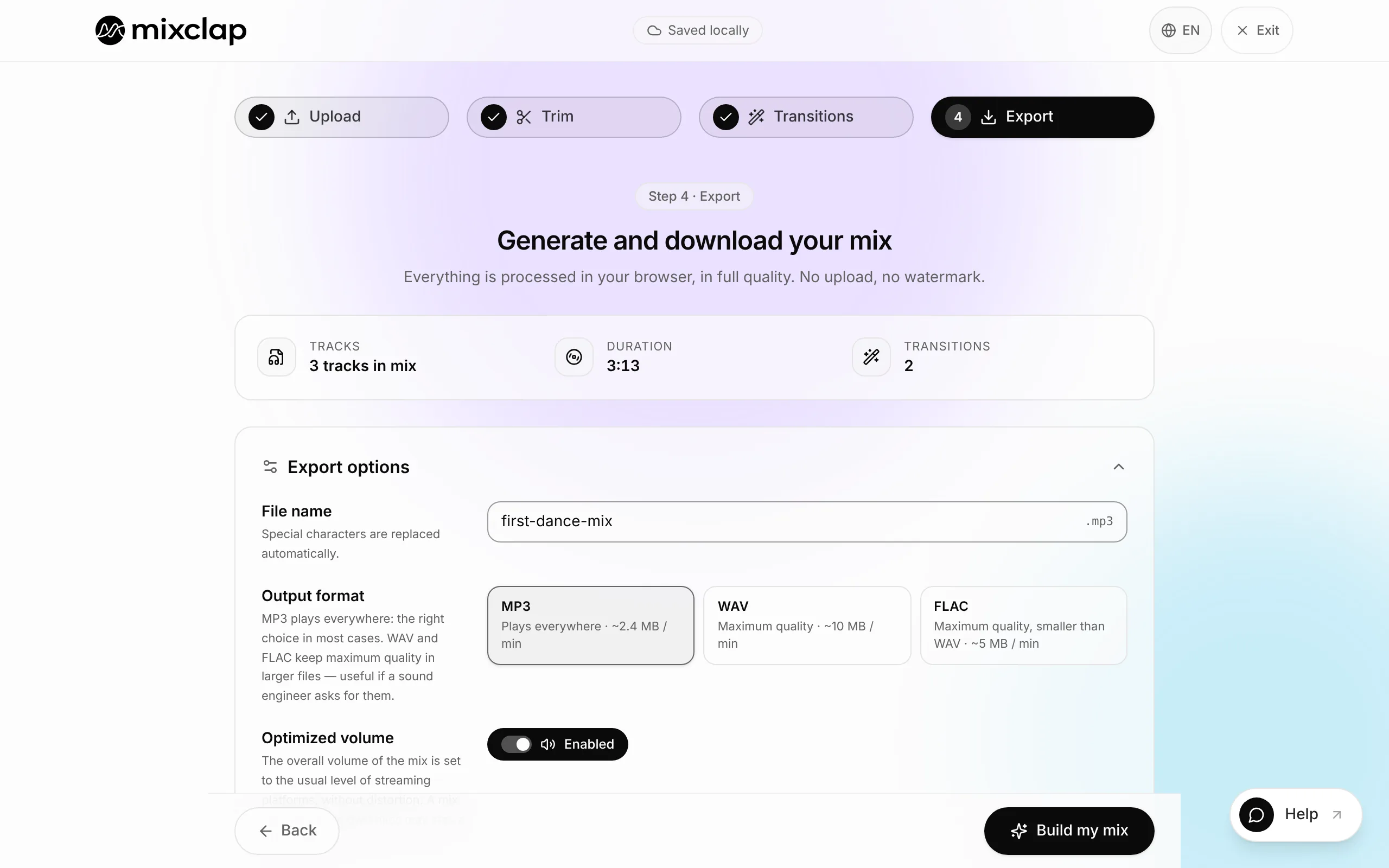
Export a single file, as a 320 kbps MP3 or a WAV.
The method in 4 steps
Allow ten minutes for a careful join. Most of the work is choosing the two cut points; the rest is mechanical.
- 1
Choose the exit point of the first song
Look for the end of a musical phrase: the last syllable of a chorus, the last beat of a bar, the note before a break. Avoid cutting in the middle of a word or during a rising pad — the ear is waiting for a resolution and the cut becomes audible.
- 2
Choose the entry point of the second song
The most reliable entry point is beat one of a bar, just before a verse or a chorus. If the second song has a recognisable intro (a riff, a piano figure, a count-in), start there: that is the moment the room identifies the track.
- 3
Align the tempos if needed
MixClap shows the detected BPM of each track. Under a 3% gap no adjustment is useful. Between 3 and 8%, a light tempo stretch is enough to make the beats coincide. Beyond that, keep the original tempos and switch to a hard cut — it is cleaner than a forced alignment.
- 4
Set the fade, listen, export
Set the crossfade length, loop the join on its own, then widen the playback by ten seconds on each side to check the levels. Then export as 320 kbps MP3 or WAV.
How long should the crossfade be?
The right length depends far less on the genre than on what is actually happening at the join. The most reliable rule: the more vocals during the overlap, the shorter the fade must be.
| What happens at the join | Recommended length | Why |
|---|---|---|
| Two vocals overlapping | 0.5–2 s | Longer and the lyrics stop being intelligible |
| Instrumental outro into instrumental intro | 4–8 s | The overlap goes unnoticed |
| Wedding first dance (2 songs) | 6–10 s | Gives dancers time to change rhythm |
| Clear tempo change | 0 s (hard cut) | A long fade would expose two tempos at once |
| Going into a build-up | 2–4 s | Short enough to keep the tension |
Where exactly to cut
A good cut sits on a musical boundary, not on a round number of seconds. Three markers let you find it quickly without reading music.
- The downbeat: the pulse you would tap your foot on. An entry on a downbeat reads as deliberate, even when the tempo changes.
- The bar line: in most popular music, sections change every 8 or 16 beats. Cutting on those boundaries avoids the feeling of an interrupted phrase.
- The pre-attack silence: leave 20 to 50 milliseconds before the first note of the second excerpt, otherwise the attack is clipped and produces a click.
By hand in an editor, or automatically?
Both approaches give a good result; they simply do not cost the same amount of time. A general-purpose audio editor gives you full control, but you have to spot the downbeats by eye and work out the offsets yourself. A dedicated tool detects the tempo and the beats, then places the join for you.
| Criterion | General-purpose audio editor | MixClap |
|---|---|---|
| Installation | Software to install | Browser, nothing to install |
| BPM detection | Manual or via a plugin | Automatic on import |
| Beat alignment | You compute it | Proposed automatically |
| Preview before committing | Yes | Yes, full mix |
| Where the files live | On your disk | On your device, never uploaded |
| Cost | Free to expensive depending on the software | Pay per export |
Two songs, two different volumes
This is the second most common flaw after the gap. Production levels have changed a lot: a recent track can sound clearly louder than an older one even when both files show the same peak. Perceived loudness comes from the average level, not the peak.
Normalise both tracks to a common target before joining them, rather than riding the volume by ear during the fade.
When two songs are all you need
Plenty of projects do not need a full medley. Two well-joined tracks cover most of the key moments of an event.
Frequently asked questions
How do I blend two songs with no gap?
Cut the first song before its trailing silence, start the second one on a downbeat, then overlap the two excerpts with a crossfade. Without an overlap, a one-to-three-second gap always comes back, because it is inside the files themselves.
How long should the crossfade be?
0.5 to 2 seconds when two vocals overlap, 4 to 8 seconds between an instrumental outro and an instrumental intro, 6 to 10 seconds for a wedding first dance. On a clear tempo change, prefer a hard cut placed on a downbeat over a fade.
Do both songs need the same BPM?
No. Under a 3% gap the crossfade is enough. Between 3 and 8%, a light tempo stretch lines the beats up without distorting the vocals. Beyond 8%, keep the original tempos and cut cleanly on a downbeat.
Can I blend two songs directly in a browser?
Yes. MixClap imports MP3, WAV, M4A and FLAC files, detects their tempo, offers beat alignment and lets you listen to the join before exporting. The audio processing happens on your device: no file is uploaded to a server and no account is required.
How do I stop the second song from sounding louder?
Normalise both tracks to a common loudness target before joining them. A perceived difference comes from the average level, not the peak: two files can share the same peak and sound very different.
Which format should I export for a DJ or a sound desk?
16-bit WAV if the file will be played from a sound desk or a deck, 320 kbps MP3 if it has to be emailed or sent over a messaging app. Put the title, the exact duration and the intended cue moment in the file name.
Two songs, one clean transition
Import both tracks, place the join, loop it until it sounds right. You only pay when you export.
Blend my two songs