
The short answer
Add your excerpts to MixClap in routine order (with your recorded voice-over as the first file, if you have one), trim each one on the “1” of an eight-count with the “1” of an eight-count magnet, put a Hard cut between sections and a Sound FX (Explosion, Air horn…) on the big hits, then check the total length: 2:30 maximum in USASF All Star, timed from the first movement, voice or note of music. Mind the rights: in the US, a medley of commercial songs needs written permission from the copyright owners.
- Routine length
- 2:30 maximum in All Star (USASF 2025-2026), 2:15 to 2:30 in France (FFSU-FFFA)
- Counting reference
- An eight-count lasts 480 ÷ BPM seconds: 3.2 s at 150 BPM, about 47 eight-counts in 2:30
- Time
- 20 to 40 minutes for 6 to 10 excerpts
- Price
- Editing and listening are free, download €4.99
Step by step
Write the count sheet first: the editing then goes very fast.
- 1
Step 1. Write the breakdown in eight-counts
List the routine’s sections (opening, tumbling, stunts, pyramid, jumps, dance) and how many eight-counts each one takes. Each file’s tempo is shown in the studio: divide 480 by the BPM to get the length of one eight-count.
- 2
Step 2. Add your files in order
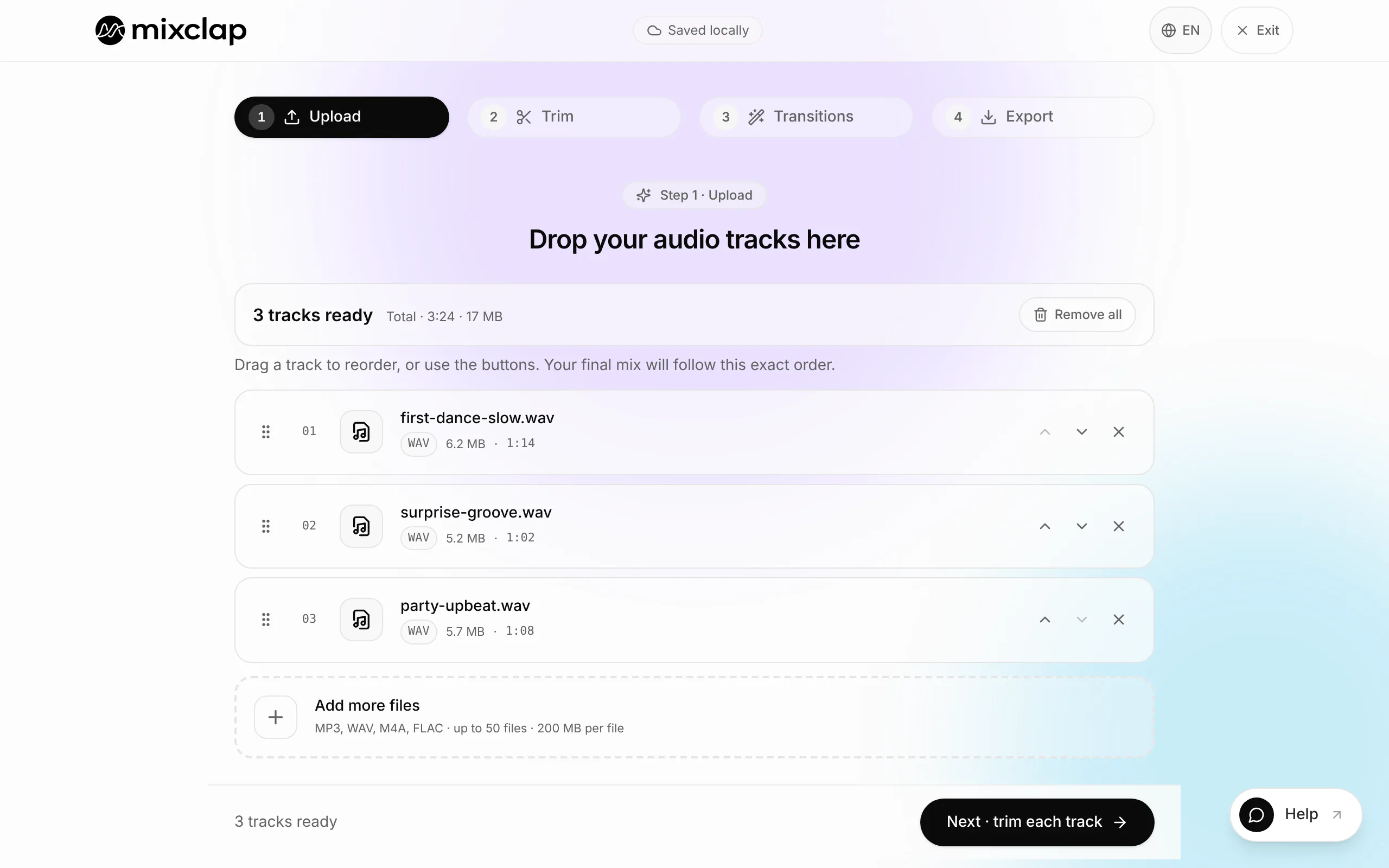
Click Choose files: your music excerpts and, if you have one, your recorded voice-over (team name, opening counts) as a separate file, at the top of the list or between two sections. Put the list in routine order.
- 3
Step 3. Cut on the “1”
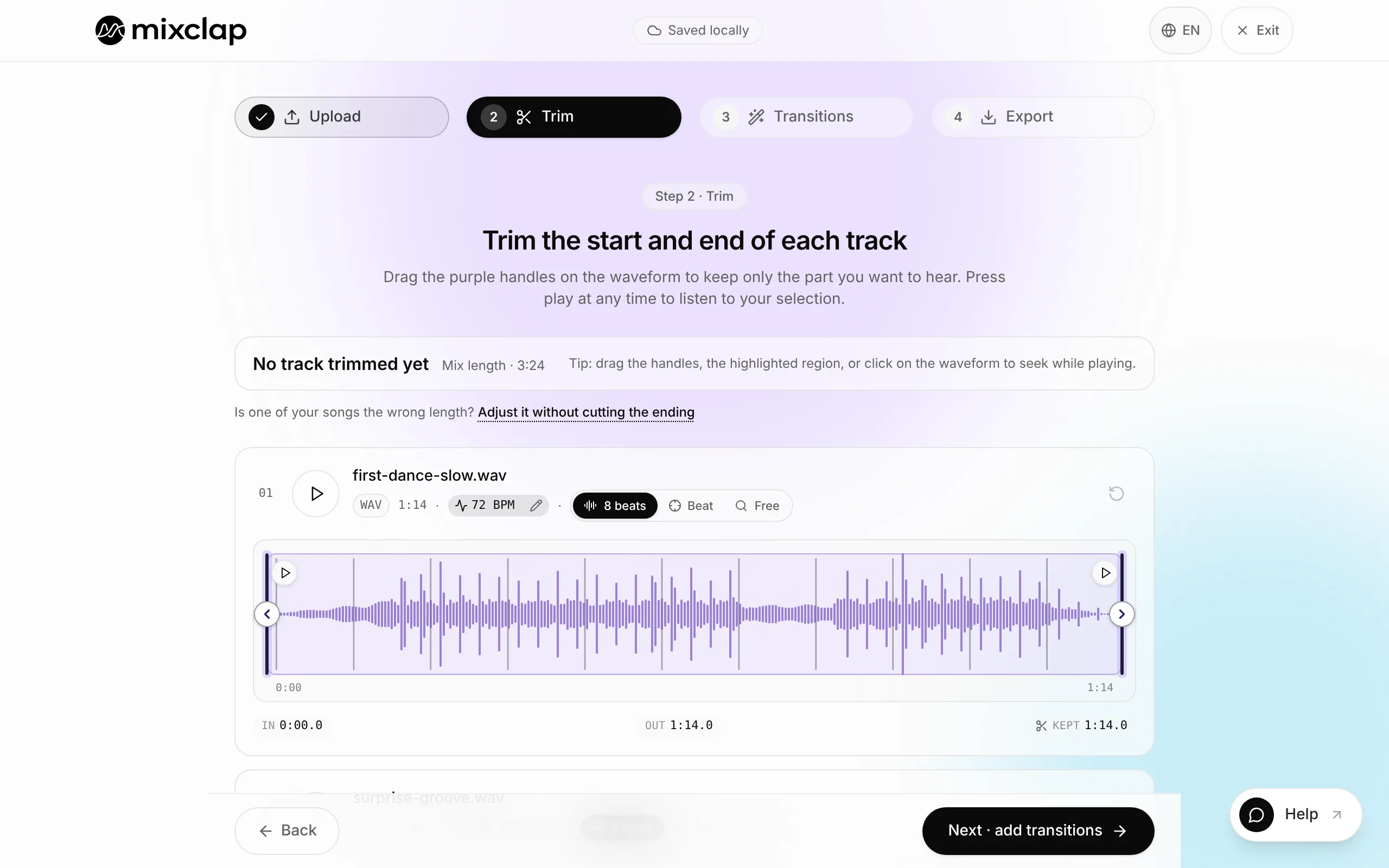
When trimming, pick the “1” of an eight-count magnet: the handles land on the first beat of an eight-count phrase. Fine-tune shows which beat each handle falls on. A cut between counts shifts the whole choreography.
- 4
Step 4. Clean cuts and big hits
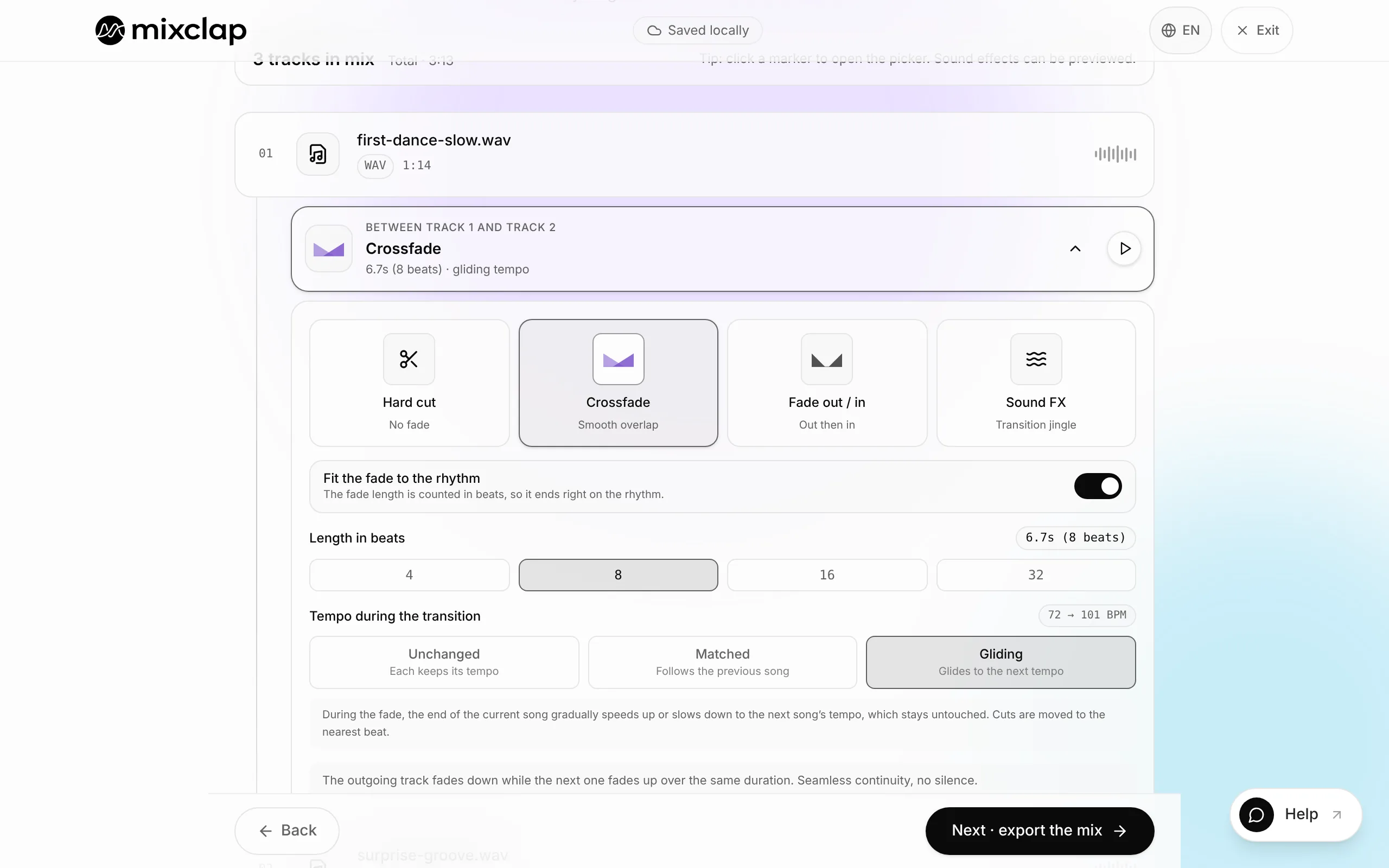
Cheer music lives on hard cuts: put a Hard cut between two sections, and a Sound FX to mark a pyramid or a jump sequence. When you open a join, move the music in steps of 8 beats so the entry lands at the start of a phrase.
- 5
Step 5. Keep the energy level even
Nothing to set: MixClap levels the volume, so songs mastered at different levels no longer jump in volume in the middle of the routine.
- 6
Step 6. Check the length, then export
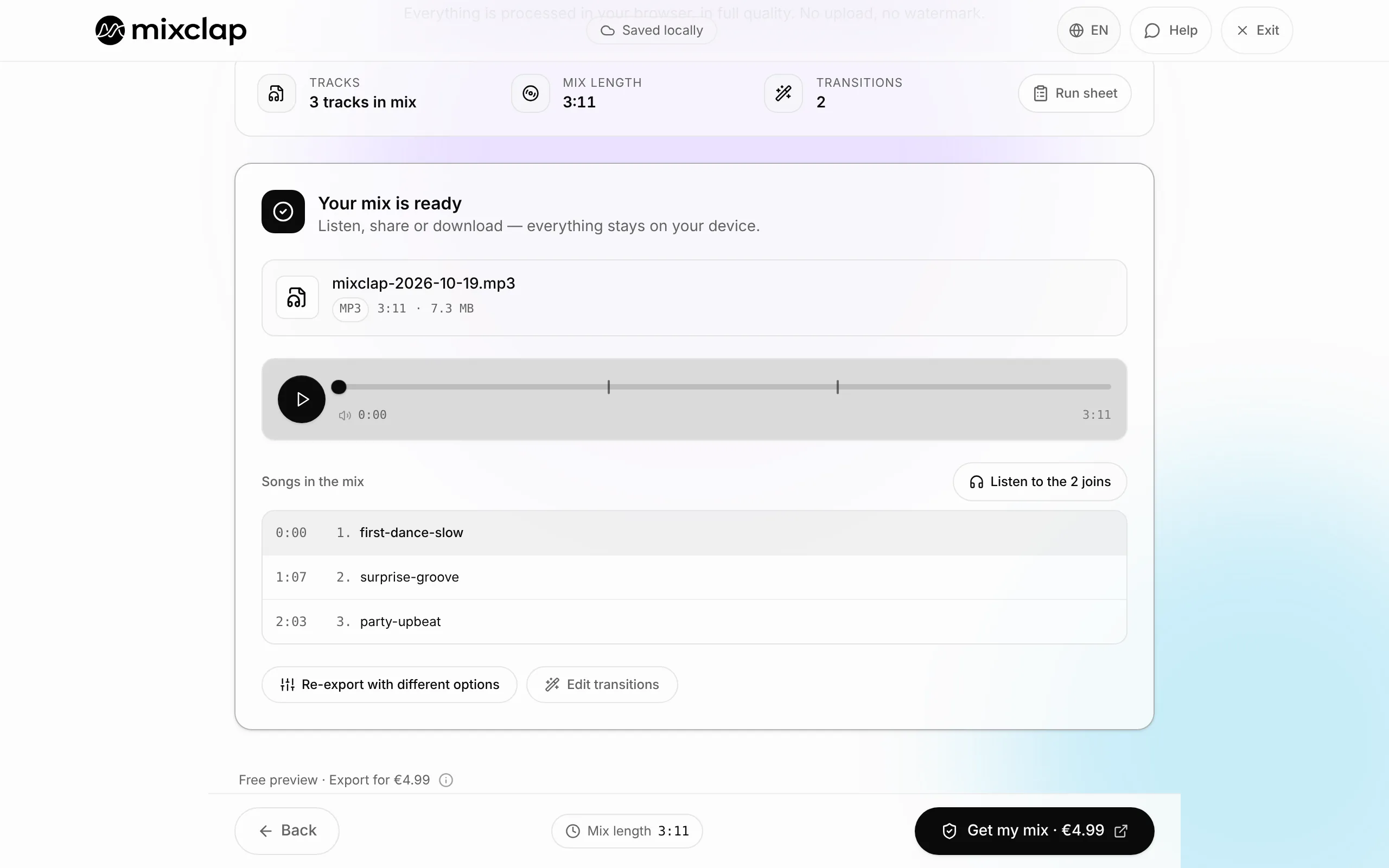
The Run sheet gives the total length: measure it the way the judges do, from the first sound to the last. Export as MP3 with Get my mix (€4.99) and keep a copy on a USB stick and on your phone.
Length and timing by governing body
At USASF, timing begins with the first movement, voice or note of music, whichever comes first, and ends with the last. Measure your mix the same way.
| Governing body or event | Length |
|---|---|
| USASF All Star (USA), 2025-2026 | 2:30 maximum |
| USASF CheerAbilities, Novice division | 1:30 maximum |
| UCA National High School Championship (USA) | 2:30 in total, with 1:30 of music at most |
| Cheer Canada, All Star | 2:30 (Novice 1:30, Prep 2:00) |
| Cheer Canada, Performance Cheer | 1:45 to 2:15 |
| FFSU-FFFA (France), Novice to Advanced | 2:15 to 2:30 |
Music rights: the real trap
As USA Cheer reminds teams, under US copyright law no team may create a remix, mash-up or medley without written authorization from the copyright owners. With a single legally purchased song, only minor edits for timing are allowed. US competitions can rule out unlicensed music.
MixClap assembles your files but gives you no rights to the music: for a competition, use licensed or royalty-free music, and check with the event producer.
Voice-over and counts
MixClap plays files one after another: a recorded voice-over goes before or between two excerpts, for instance the team name at the opening. It doesn’t play over the music. For a voice on top of the music, you need a multitrack editor such as Audacity or BandLab, or a cheer mix producer.
What MixClap does not do
So you can choose with your eyes open, here are the tool’s limits for this task.
- No layering: a voice or a sound effect can’t play over the music, only between two excerpts.
- Three built-in effects (Vinyl scratch, Explosion, Air horn). Any other effect is added as a separate file between two excerpts.
- No music or licence included: MixClap doesn’t settle the rights question for you.
- No printable count grid: keep your eight-counts on paper; the Run sheet only gives each excerpt’s start time.
Common problems
After a cut, the counts are off
The cut doesn’t land on the “1”. Switch the handle back to “1” of an eight-count, or in the join settings, move the music in steps of 8 beats.
An excerpt’s tempo isn’t detected
On a passage with a weak pulse, the tempo shown is approximate. Place the handle freely and line it up by ear, or check the tempo with the BPM finder.
The routine runs over 2:30
Set Where the fade goes to Centred on the passage (fades no longer lengthen the mix), favour Hard cut joins, then remove one eight-count phrase from the longest section.
Frequently asked questions
How do I work out an eight-count from the BPM?
Divide 480 by the BPM: at 150 BPM, 480 ÷ 150 = 3.2 seconds per eight-count. Each file’s tempo is shown in the studio.
Can I add a voice-over to a cheer mix?
Yes, as a separate file, before or between two excerpts. It can’t be layered over the music in MixClap.
Do I need a licence for a cheer mix?
In the US, yes, as soon as there’s a medley or mash-up of commercial songs (USA Cheer). Elsewhere, check the competition rules and your country’s collecting society.
Is MixClap free?
Editing and listening are free, with no account. Downloading the file costs €4.99, as a one-time payment.
Can I edit the mix after paying for it?
Yes: trims and transitions can be changed and exported again for free. Adding, removing or replacing an excerpt counts as a new mix.
Going further
Try it on your own songs
Editing and listening are free, with no account: you only pay if you download.
Open the studio