
The short answer
For a single song, enter the length you need in MixClap’s length tool: it removes or repeats whole sections on the beat, and in Exact duration mode the length is matched to the millisecond (the tempo moves by less than 2%). For a montage of several excerpts, trim each one in the studio, set Where the fade goes to Centred on the passage so the mix lasts exactly the sum of your selections, and check the total on the Run sheet. Always aim a few seconds under the limit, never at the limit itself.
- Time
- 5 to 10 minutes
- You need
- The music as a file, and your competition’s rulebook
- Precision
- To the millisecond in Exact duration mode, to the nearest bar in Original tempo mode
- Price
- Analysis and listening are free, download €4.99
- Rule of thumb
- Aim 2 to 3 seconds under the maximum, or the middle of a required window
Step by step
Steps 2 and 3 cover a single song (length tool), steps 4 and 5 a montage of several excerpts (studio).
- 1
Step 1. Find the length in the rulebook
Write down the maximum length (or the minimum-maximum window), any tolerance, and when the clock starts: at the first movement, the first note or the first sound, depending on the governing body. The table below gives the rules for the main disciplines.
- 2
Step 2. One song: enter the length you need
Open the length tool, add the music, type the length (2:30 or 150 seconds both work), then pick the mode:
- Exact duration: the requested length is matched to the millisecond, and the tempo may shift by under 2%.
- Original tempo: the tempo never changes, and the end lands on the nearest bar.
- Then click Analyze and suggest.
- 3
Step 3. Listen to the suggestions
The tool looks for the least noticeable passages to remove or repeat, on the beat, and suggests several edits with their number of joins. Listen to the joins above all. If no edit is subtle enough for that length, it says so and suggests a realistic range rather than a clumsy version. Download with Get my track (€4.99).
- 4
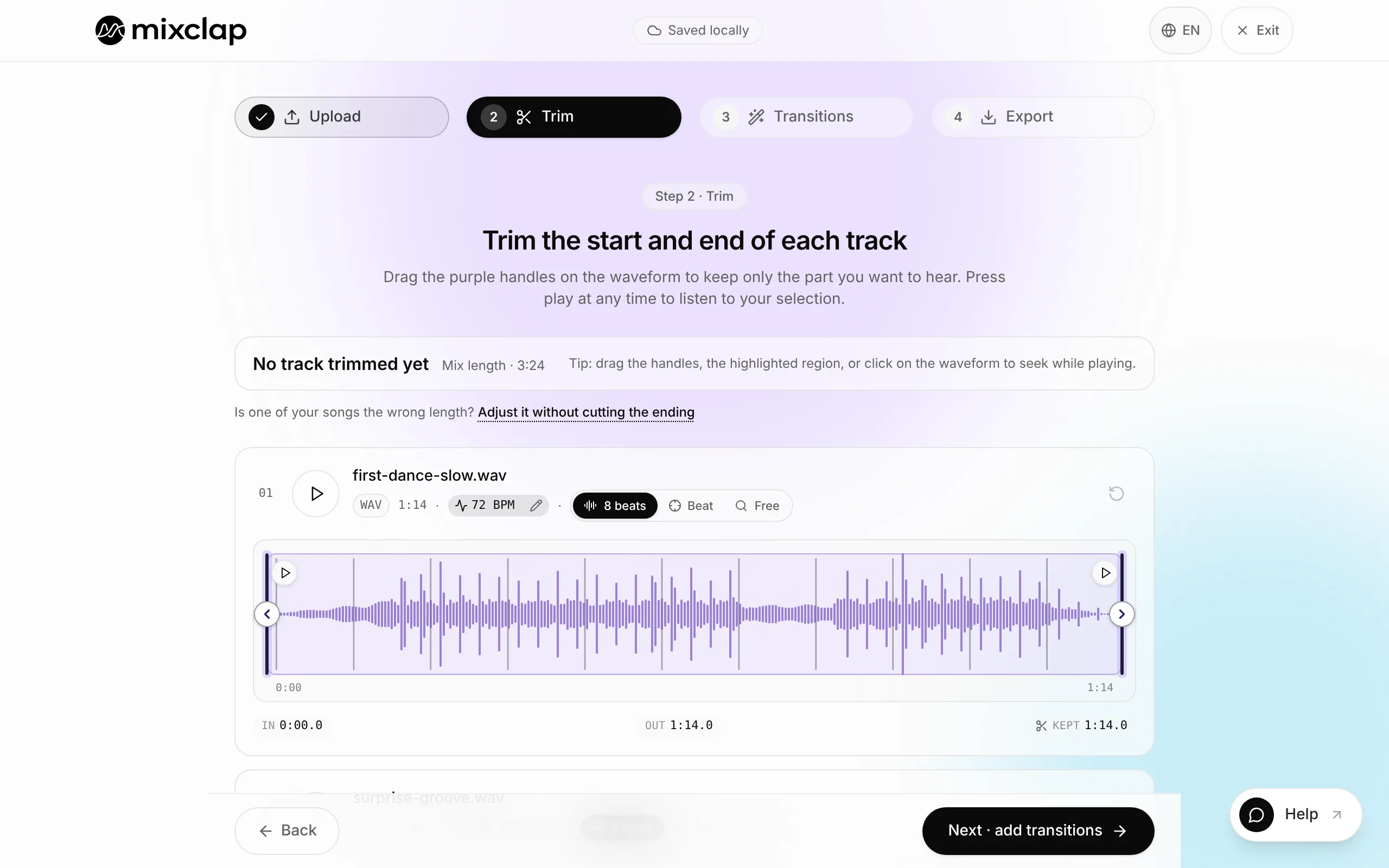
Step 4. Several excerpts: trim in the studio
In the studio, add your excerpts and trim each one with the purple handles, using the “1” of an eight-count magnet to cut at the start of a phrase. In the transitions, set Where the fade goes to Centred on the passage: the mix then lasts exactly the sum of your selections. A Hard cut doesn’t change the length either.
- 5
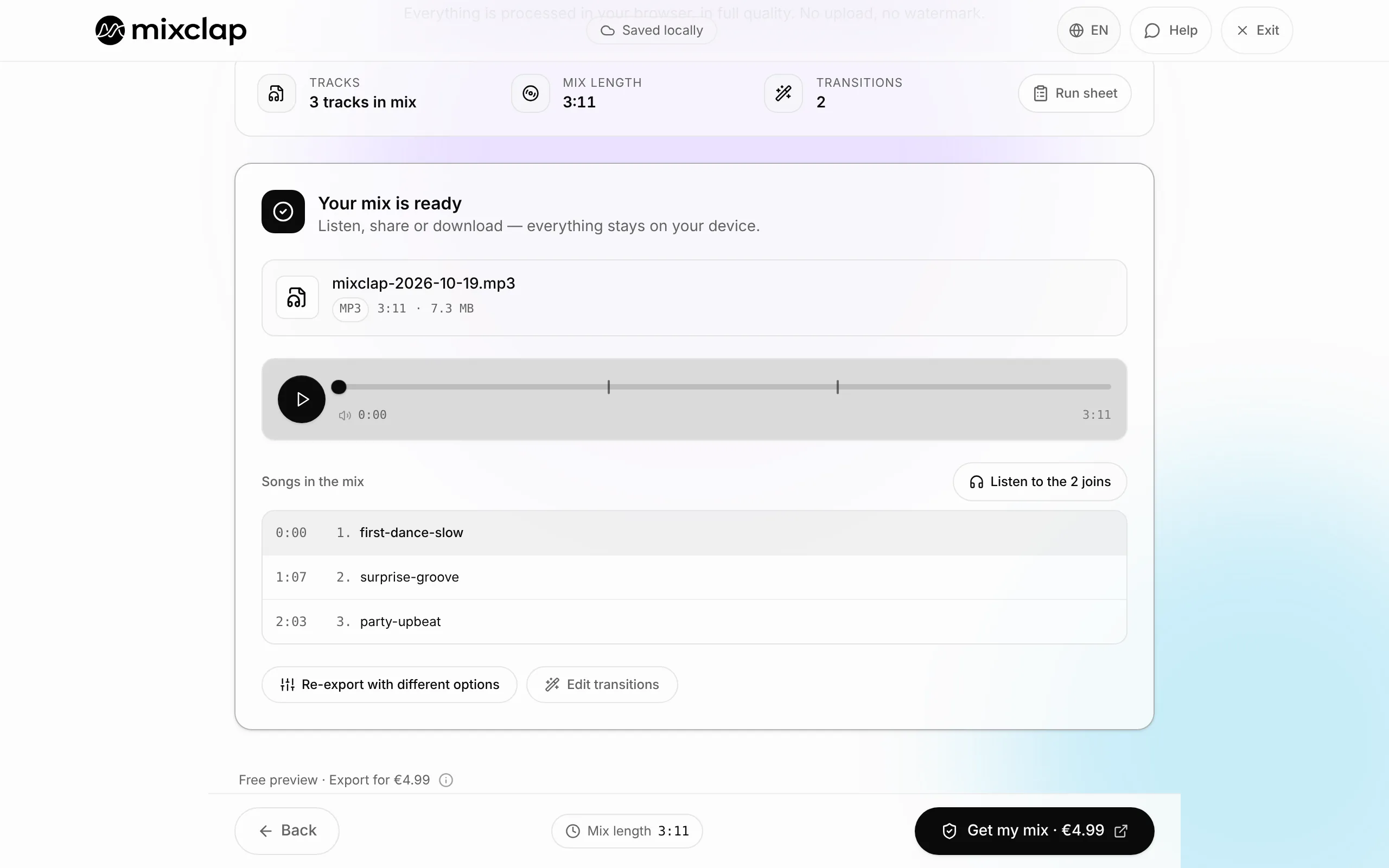
Step 5. Check the total length
On the transitions step, the Run sheet shows each excerpt’s start time and the total length. Too long? Shorten the last selection by one eight-count phrase. To end cleanly on the final pose, set the Fade at the end of the mix, below the last song.
- 6
Step 6. No silence at the start of the file
The clock often starts on the first sound, and the sound desk hits play when the dancers are in place: a gap at the start throws everything off. For a competition, leave Silence at the start of the mix with no silence.
Official lengths, discipline by discipline
These lengths change with the season, the age group and the category: your competition’s rulebook always prevails. The references below come from the official documents listed at the bottom of the page.
| Discipline | Length | Tolerance and timing |
|---|---|---|
| Women’s artistic gymnastics, floor (FIG Code 2025-2028) | 90 s maximum | 0.10 deduction from 91 s |
| Rhythmic gymnastics, individual | 1:15 to 1:30 | Fixed window |
| Rhythmic gymnastics, group | 2:15 to 2:30 | Fixed window |
| Figure skating, short program (senior and junior) | 2:40 | ±10 s, from the first movement to a complete stop |
| Figure skating, free skating | 4:00 senior, 3:30 junior | ±10 s |
| Ice dance, rhythm dance / free dance | 2:50 / 4:00 senior | ±10 s |
| All Star cheer, USA (USASF 2025-2026) | 2:30 maximum | From the first movement, voice or note of music |
| Cheer, France (FFSU-FFFA) | 2:15 to 2:30 | Fixed window |
| Dance competition, USA (RADIX 2026-2027) | Solo and duo/trio: 2:45; group: 3:00 | 15 s grace; the upload refuses music over the limit |
| Dance competition, France (ASSEM 17, 2026) | Classical solo, ages 10-15: 1:15 to 1:20; group, ages 12-18: 2:00 to 3:00 | Strict window, MP3 sent with the entry |
What a timing mistake costs
In figure skating, a program outside the tolerance loses 1 point for every 5 seconds too long or too short (ISU, Rule 353). In artistic gymnastics, floor loses 0.10 from the 91st second, and the FIG code also deducts for poor editing of the music. At RADIX, a routine that runs past the grace period is no longer eligible for placement.
Hence the simple rule: build to a target, not to the limit. For a 1:15 to 1:20 window, aim for 1:17 or 1:18; for a 2:30 maximum, aim for 2:27 or 2:28.
Where to cut so nobody hears it
An edit is heard when it breaks the structure of the music. To avoid that:
- Cut at the start of an eight-count phrase: that’s the “1” of an eight-count magnet in the studio.
- Cut on a change of section (verse, chorus, bridge): the Change in the music magnet finds them.
- Remove a whole chorus or bridge rather than a few seconds in the middle of a phrase.
- End on a final chord or a 2 to 3 second fade timed to the final pose.
What MixClap does not do
So you can choose with your eyes open, here are the tool’s limits for this task.
- The length tool works on one song at a time. To chain several excerpts, use the studio.
- In Exact duration mode, the tempo may shift by under 2%. If your choreography can’t take that, choose Original tempo.
- Too big a gap, such as taking a 4-minute song down to 1:30, may not sound natural: the tool then declines and suggests a realistic range. Trim in the studio first.
- MixClap doesn’t know your competition’s rules: check the length and the timing with the organiser.
Common problems
My mix is longer than the sum of my selections
The Where the fade goes setting is on Whole selections: every fade adds to the mix. Switch to Centred on the passage, or use a Hard cut.
The sound desk measures a different length
Many sound desks start on the first sound and round off. Remove any silence at the start and end, and keep 2 to 3 seconds of margin under the limit.
The tool suggests a length that’s close but not exact
You’re in Original tempo mode: the end lands on the nearest bar. Switch to Exact duration for an exact length.
The edit throws off the dancers’ counts
The cut doesn’t land at the start of a phrase. In the studio, use the “1” of an eight-count magnet; in a join’s settings, move the music in steps of 8 beats.
Frequently asked questions
Can I shorten a song without the edit being heard?
Yes, if the edit removes a whole section on the beat: a chorus, a bridge or an eight-count phrase. That’s what the length tool does; in the studio, the “1” of an eight-count magnet places the handles in the right spot.
Can I make a song that’s too short longer?
Yes: the length tool repeats a whole section, on the beat, until it reaches the length you need.
How much margin should I leave under the limit?
2 to 3 seconds under the maximum, or the middle of the window when the rules set a minimum and a maximum.
What format should I send the organiser?
An MP3, unless told otherwise. RADIX, for example, accepts MP3, WAV, M4A or AIF up to 50 MB, uploaded at least a week before.
How much does it cost?
Analysis and listening are free. The download costs €4.99, as a one-time payment, with no subscription.
Going further
Try it on your own songs
Editing and listening are free, with no account: you only pay if you download.
Open the studio