
The short answer
Prepare one file per piece, not one file for the whole show: if a piece runs late, the sound desk simply starts the next one. In MixClap, make a mix for each piece that chains several songs or needs shortening, add Silence at the start of the mix if the dancers need time to get in place, name the files in programme order (01_Opening, 02_Juniors…) and give the sound desk the Run sheet of each piece. Keep two copies, on a USB stick and on a phone.
- Organisation
- One file per piece, numbered in programme order
- Typical lengths
- Opening 2 to 3 min, each piece 2 to 4 min
- Format
- MP3 (plays everywhere), WAV if the sound desk asks for it
- Price
- Listening is free; each downloaded mix costs €4.99
- Timing
- Files ready at least a week ahead, to rehearse on the final version
Step by step
Allow a few minutes per piece once the music is chosen.
- 1
Step 1. List the pieces
Go through the programme: for each piece, the songs, the part of each one that is danced, and the length the teacher planned.
- 2
Step 2. One mix per piece that needs editing
Start a new mix for each piece that chains several songs or needs shortening. A piece danced to a single song, kept as it is, needs no editing: use the original file.
- 3
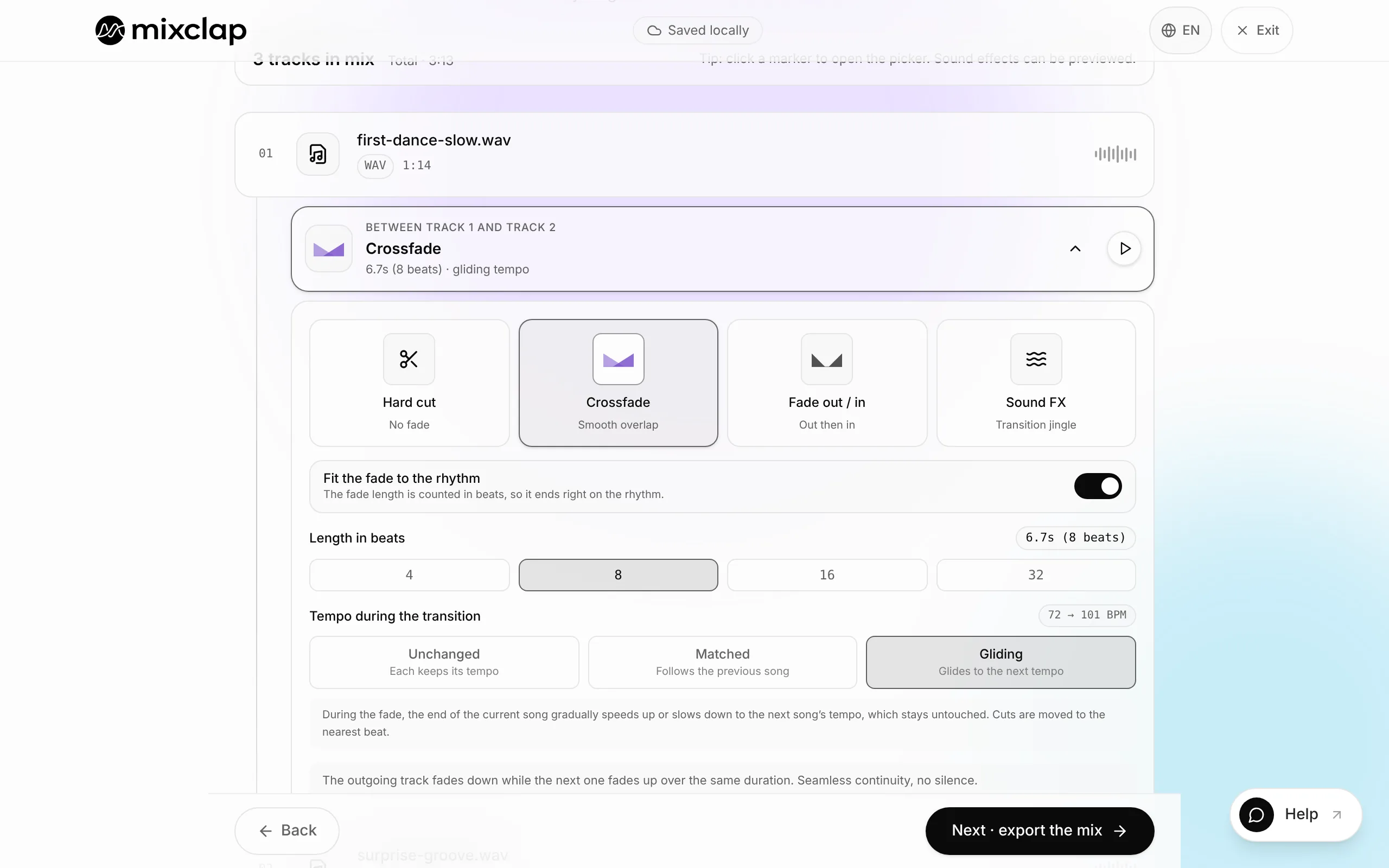
Step 3. Trim and join
Keep the danced part of each song with the purple handles (“1” of an eight-count magnet to cut at the start of a phrase), then pick a transition at every join. A Pause separates two sections of the same piece if the dancers change places.
- 4
Step 4. Take care of the start and the end
Silence at the start of the mix gives the dancers a few seconds to get in place after the sound desk hits play; leave it empty if the music must start on the pose. Fade at the end of the mix, at the bottom of the list, softens the ending, useful if the sound desk cuts during the bow.
- 5
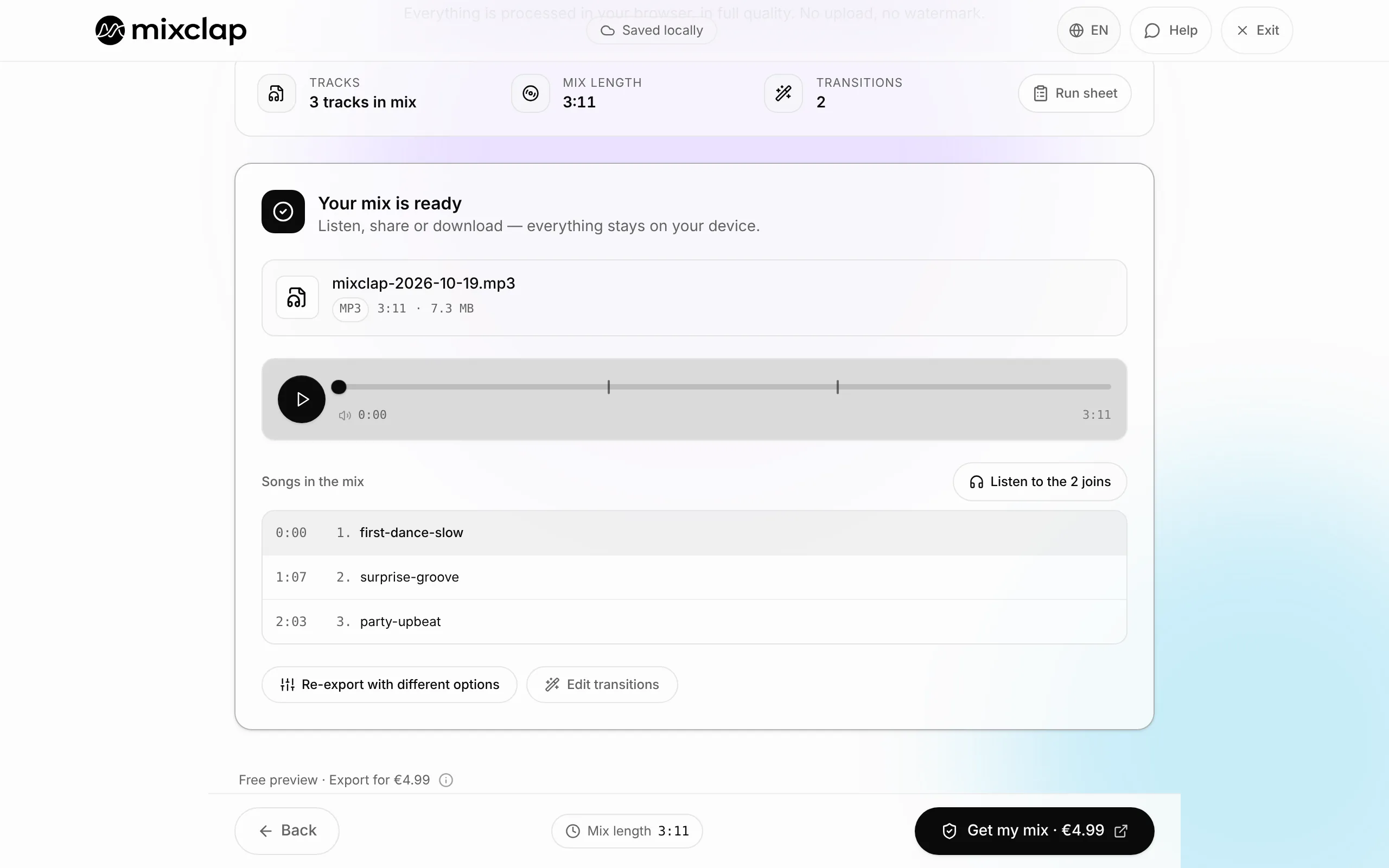
Step 5. Name and export
On the final screen, name the mix in programme order (01_Opening, 02_Juniors…): that name becomes the file name. Click Get my mix, then choose the format the sound desk asked for when you download.
- 6
Step 6. Prepare the sound desk
The Run sheet gives each song’s start time within the piece: print it or send it to whoever runs the sound. Test every file on the venue’s sound system and keep two copies, on a USB stick and on a phone.
One file per piece, or a single file?
MixClap can do both, but they don’t protect you the same way against the surprises of a live show.
| Set-up | Pros | Risks |
|---|---|---|
| One file per piece (recommended) | The sound desk recovers from a delay or an incident by starting the next file; one piece can be fixed without touching the others | More files to handle: number them |
| One single file with Pause joins | One play button, one download | No way to recover from an incident: the music carries on whether the dancers are ready or not |
If the show is a competition
At a competition, every category has a strict time window, and the file is often requested in advance. At RADIX in 2026-2027, solos and duos/trios get 2:45, groups 3:00, with a 15-second grace period, and the upload only accepts music under the time limit. Aim below the limit and follow the guide to cut music to an exact length.
Public shows: music rights
Playing music at a public show requires a licence from the local collecting society (PRS for Music in the UK, ASCAP/BMI/SESAC in the US, Sacem in France), often held by the venue. MixClap prepares the files but doesn’t cover that licence.
What MixClap does not do
So you can choose with your eyes open, here are the tool’s limits for this task.
- MixClap prepares the files; it doesn’t run the show for the sound desk (no cue list, no per-piece playback).
- Each downloaded mix is paid (€4.99): a recital with 10 edited pieces means 10 mixes. Pieces on a single, untouched song don’t need one.
- No layering: an announcement or a sound effect can’t play over the music.
- MixClap evens out the songs within one mix automatically. From one piece to the next, levels may differ slightly: do a sound check with the sound desk.
Common problems
The file starts with a silence
A Silence at the start of the mix is set at the start of the mix. Set it back to none if the music must start on the pose.
The venue’s system won’t play the file
Download it again as MP3, the most compatible format: you pick the format when you download. Avoid file names with special characters: MixClap replaces them automatically anyway.
A piece changed after I paid
Adjust the trims and transitions and export again for free. Adding, removing or replacing a song, however, counts as a new mix.
Frequently asked questions
How far ahead should I prepare the files?
At least a week ahead, to rehearse on the final version. Some competitions want the music with the entry form or a week before the event (RADIX).
How should I name the files?
A two-digit number then the piece’s name (01_Opening, 02_Juniors, 03_Jazz_teens…): they sort themselves in the right order on the USB stick.
Is a phone enough?
Yes, MixClap works on a recent phone. To prepare a whole recital, a computer is more comfortable.
Do I need show-control software?
Not for a school recital: a player that plays the files in order is enough. MixClap only takes care of preparing those files.
Going further
Try it on your own songs
Editing and listening are free, with no account: you only pay if you download.
Open the studio